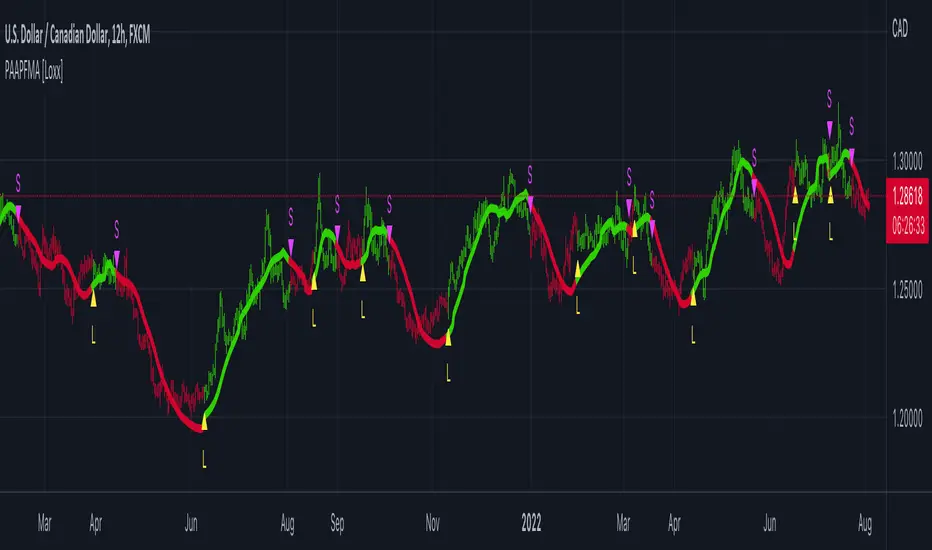
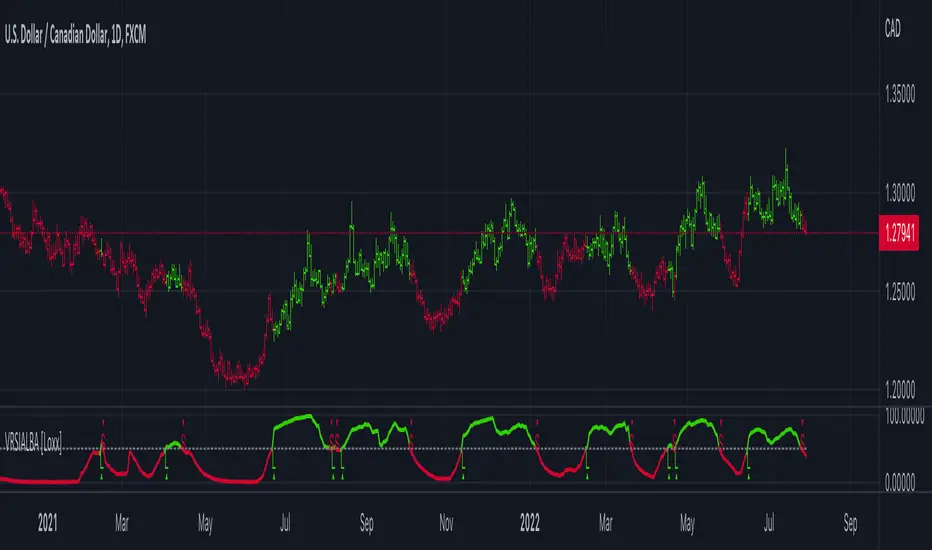
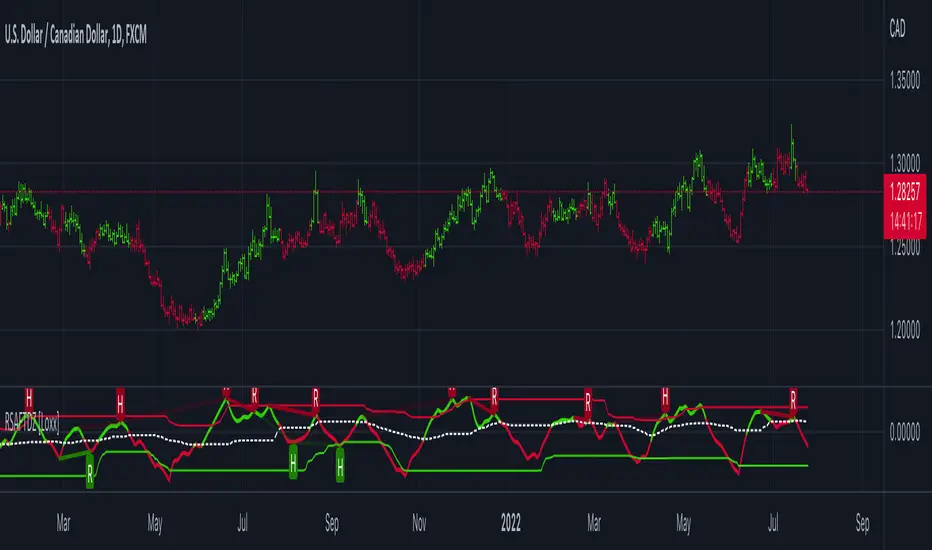
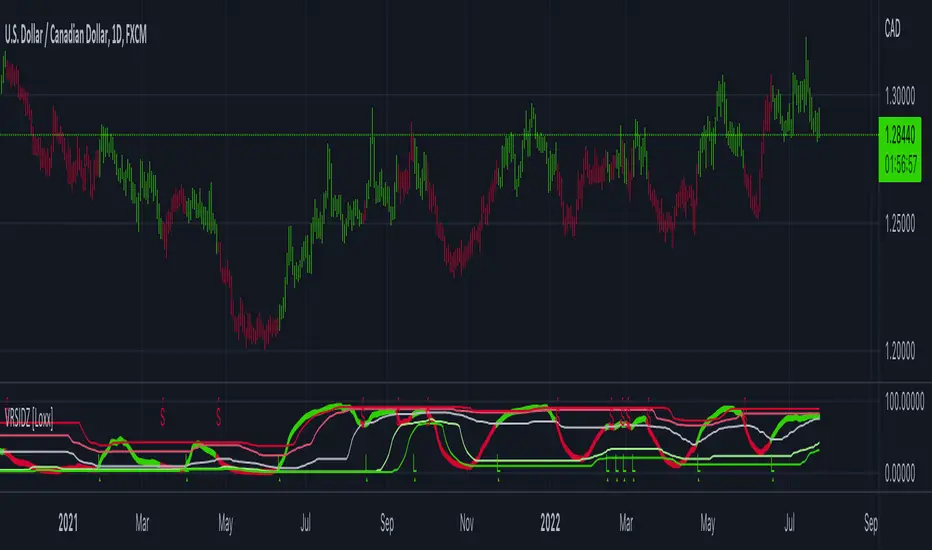
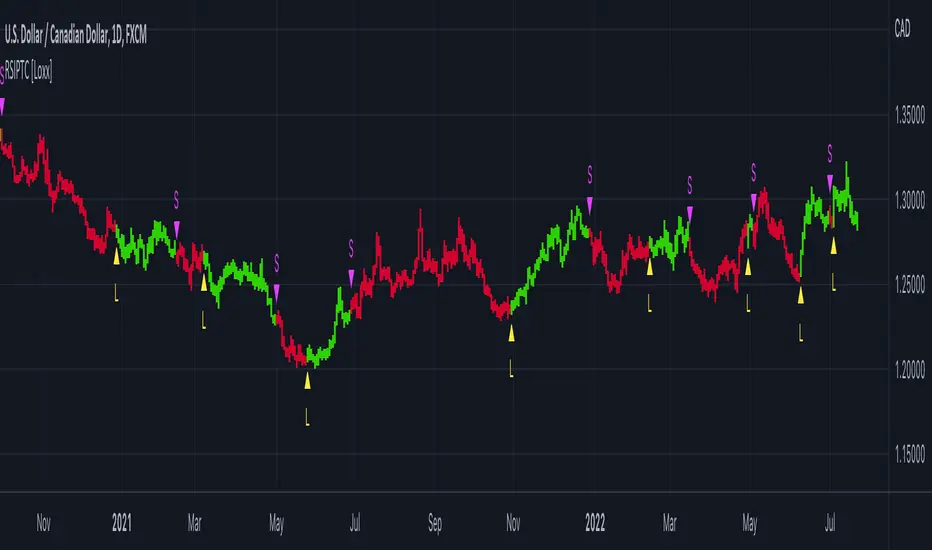
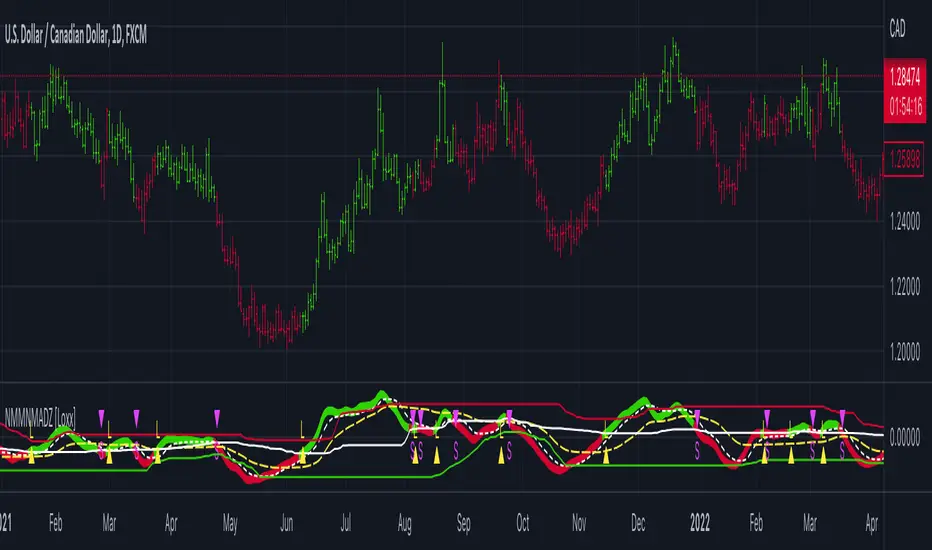
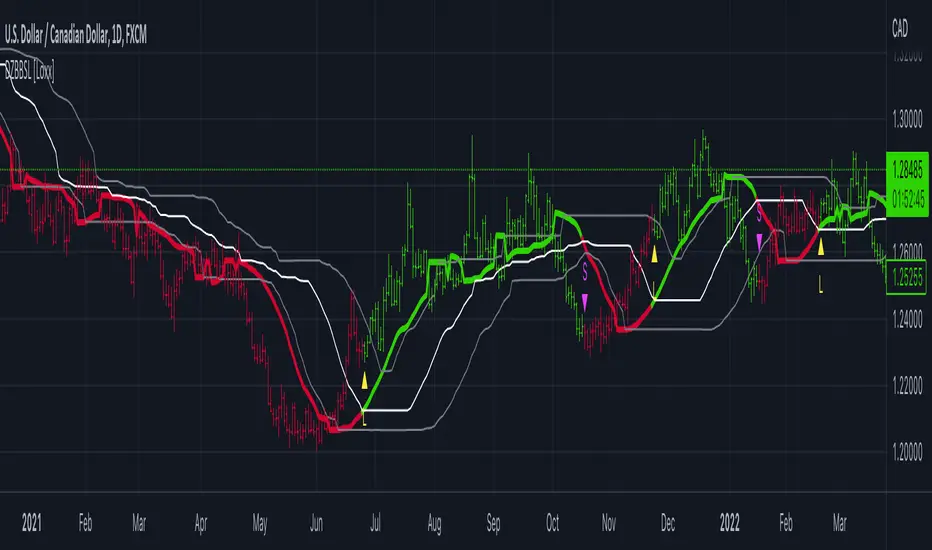
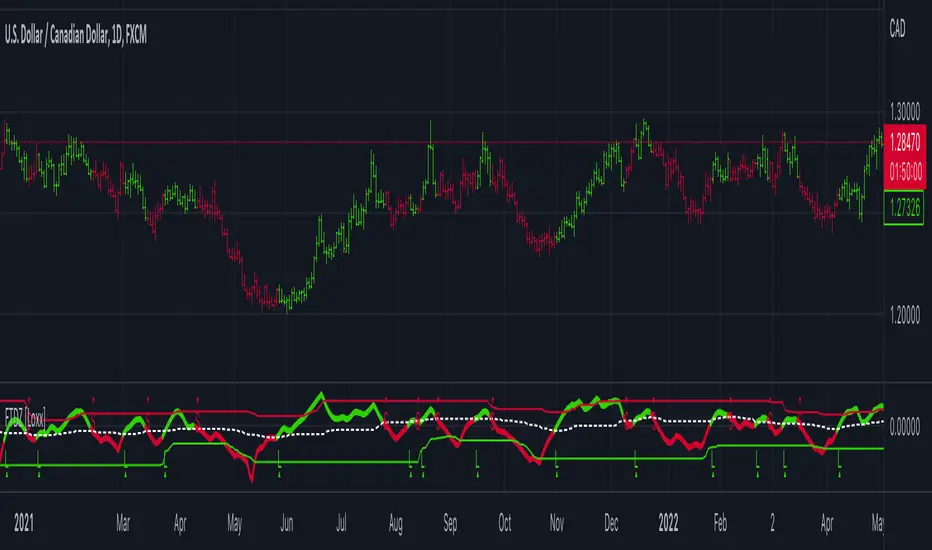
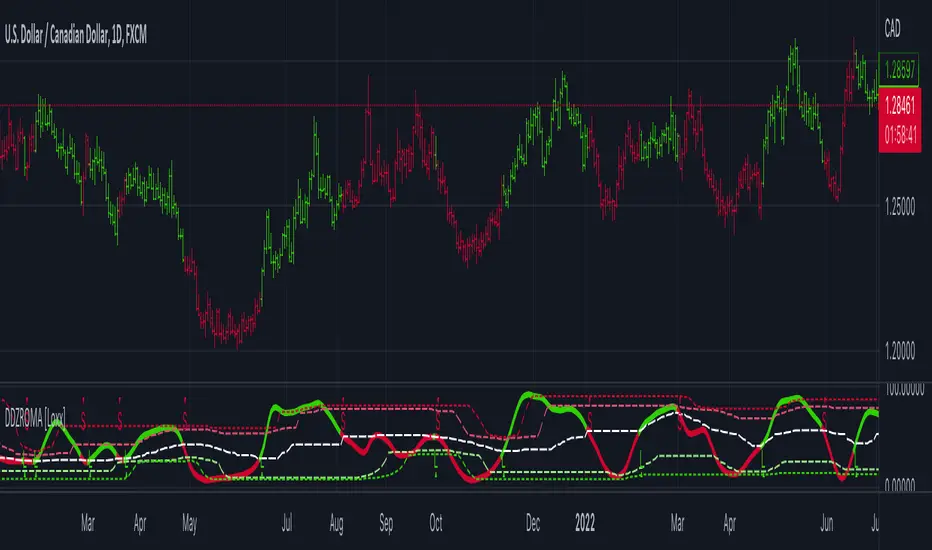
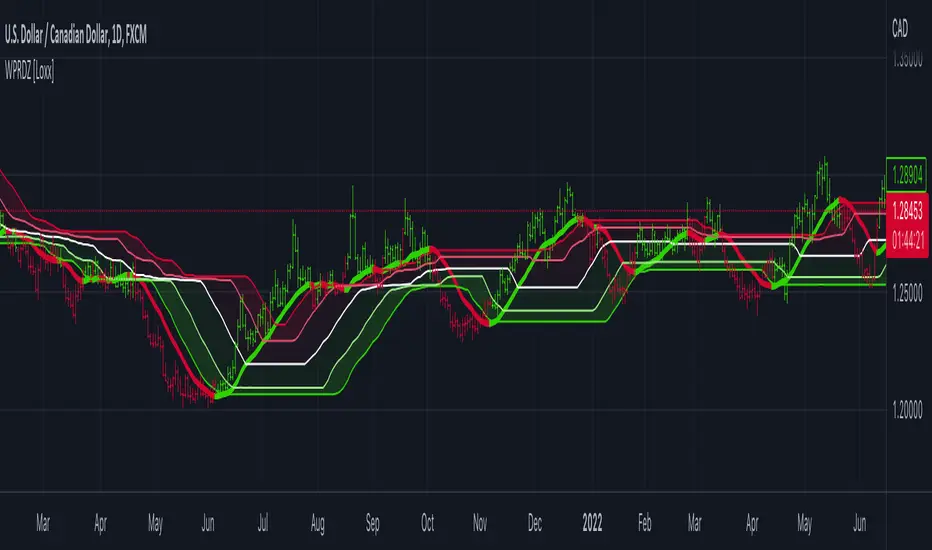
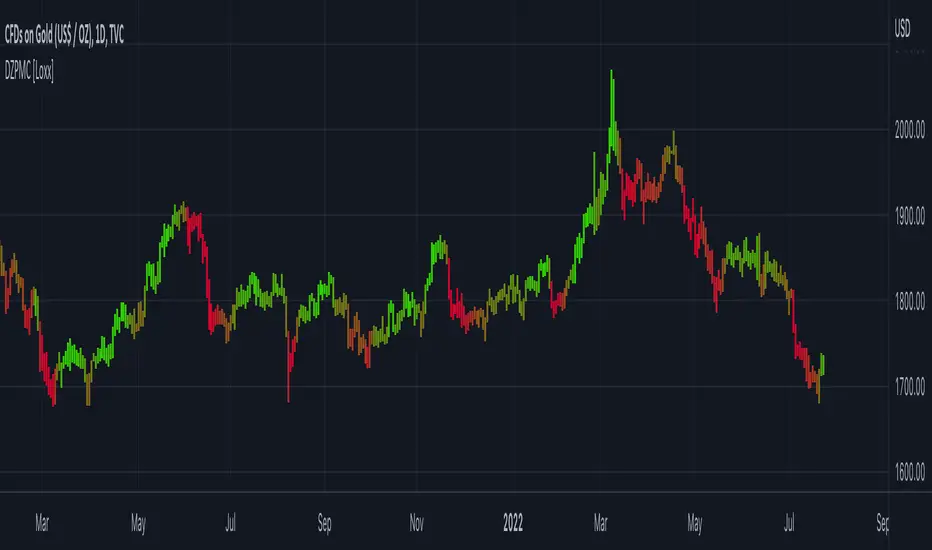
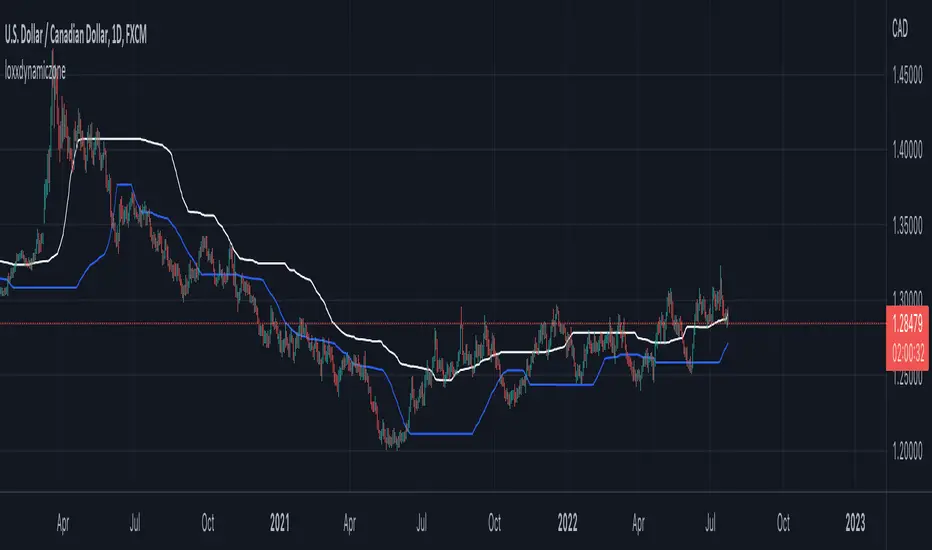
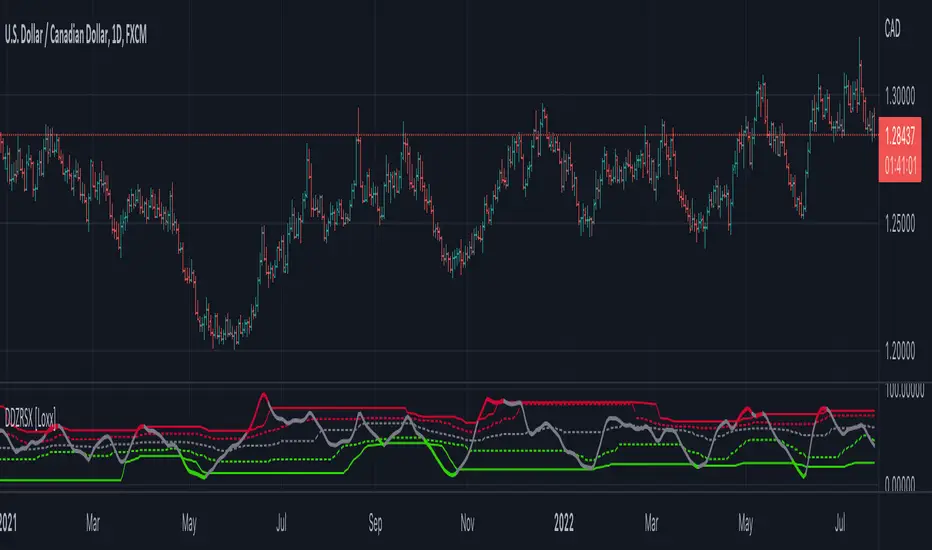
Acc/Dist. Cloud with Fractal Deviation Bands by @XeL_ArjonaACCUMULATION / DISTRIBUTION CLOUD with MORPHIC DEVIATION BANDS
Ver. 2.0.beta.23:08:2015
by Ricardo M. Arjona @XeL_Arjona
DISCLAIMER
The Following indicator/code IS NOT intended to be a formal investment advice or recommendation by the author, nor should be construed as such. Users will be fully responsible by their use regarding their own trading vehicles/assets.
The embedded code and ideas within this work are FREELY AND PUBLICLY available on the Web for NON LUCRATIVE ACTIVITIES and must remain as is.
Pine Script code MOD's and adaptations by @XeL_Arjona with special mention in regard of:
Buy (Bull) and Sell (Bear) "Power Balance Algorithm by Vadim Gimelfarb published at Stocks & Commodities V. 21:10 (68-72).
Custom Weighting Coefficient for Exponential Moving Average (nEMA) adaptation work by @XeL_Arjona with contribution help from @RicardoSantos at TradingView @pinescript chat room.
Morphic Numbers (PHI & Plastic) Pine Script adaptation from it's algebraic generation formulas by @XeL_Arjona
Fractal Deviation Bands idea by @XeL_Arjona
CHANGE LOG:
ACCUMULATION / DISTRIBUTION CLOUD: I decided to change it's name from the Buy to Sell Pressure. The code is essentially the same as older versions and they are the center core (VORTEX?) of all derived New stuff which are:
MORPHIC NUMBERS: The "Golden Ratio" expressed by the result of the constant "PHI" and the newer and same in characteristics "Plastic Number" expressed as "PN". For more information about this regard take a look at: HERE!
CUSTOM(K) EXPONENTIAL MOVING AVERAGE: Some code has cleaned from last version to include as custom function the nEMA , which use an additional input (K) to customise the way the "exponentially" is weighted from the custom array. For the purpose of this indicator, I implement a volatility algorithm using the Average True Range of last 9 periods multiplied by the morphic number used in the fractal study. (Golden Ratio as default) The result is very similar in response to classic EMA but tend to accelerate or decelerate much more responsive with wider bars presented in trending average.
FRACTAL DEVIATION BANDS: The main idea is based on the so useful Standard Deviation process to create Bands in favor of a multiplier (As John Bollinger used in it's own bands) from a custom array, in which for this case is the "Volume Pressure Moving Average" as the main Vortex for the "Fractallitly", so then apply as many "Child bands" using the older one as the new calculation array using the same morphic constant as multiplier (Like Fibonacci but with other approach rather than %ratios). Results are AWSOME! Market tend to accelerate or decelerate their Trend in favor of a Fractal approach. This bands try to catch them, so please experiment and feedback me your own observations.
EXTERNAL TICKER FOR VOLUME DATA: I Added a way to input volume data for this kind of study from external tickers. This is just a quicky-hack given that currently TradingView is not adding Volume to their Indexes so; maybe this is temporary by now. It seems that this part of the code is conflicting with intraday timeframes, so You are advised.
This CODE is versioned as BETA FOR TESTING PROPOSES. By now TradingView Admins are changing lot's of things internally, so maybe this could conflict with correct rendering of this study with special tickers or timeframes. I will try to code by itself just the core parts of this study in order to use them at discretion in other areas. ALL NEW IDEAS OR MODIFICATIONS to these indicator(s) are Welcome in favor to deploy a better and more accurate readings. I will be very glad to be notified at Twitter or TradingView accounts at: @XeL_Arjona
Cerca negli script per "algo"
DeeptestDeeptest: Quantitative Backtesting Library for Pine Script
━━━━━━━━━━━━━━━━━━━━━━━━━━━━━━━━━━
█ OVERVIEW
Deeptest is a Pine Script library that provides quantitative analysis tools for strategy backtesting. It calculates over 100 statistical metrics including risk-adjusted return ratios (Sharpe, Sortino, Calmar), drawdown analysis, Value at Risk (VaR), Conditional VaR, and performs Monte Carlo simulation and Walk-Forward Analysis.
█ WHY THIS LIBRARY MATTERS
Pine Script is a simple yet effective coding language for algorithmic and quantitative trading. Its accessibility enables traders to quickly prototype and test ideas directly within TradingView. However, the built-in strategy tester provides only basic metrics (net profit, win rate, drawdown), which is often insufficient for serious strategy evaluation.
Due to this limitation, many traders migrate to alternative backtesting platforms that offer comprehensive analytics. These platforms require other language programming knowledge, environment setup, and significant time investment—often just to test a simple trading idea.
Deeptest bridges this gap by bringing institutional-level quantitative analytics directly to Pine Script. Traders can now perform sophisticated analysis without leaving TradingView or learning complex external platforms. All calculations are derived from strategy.closedtrades.* , ensuring compatibility with any existing Pine Script strategy.
━━━━━━━━━━━━━━━━━━━━━━━━━━━━━━━━━━
█ ORIGINALITY AND USEFULNESS
This library is original work that adds value to the TradingView community in the following ways:
1. Comprehensive Metric Suite: Implements 112+ statistical calculations in a single library, including advanced metrics not available in TradingView's built-in tester (p-value, Z-score, Skewness, Kurtosis, Risk of Ruin).
2. Monte Carlo Simulation: Implements trade-sequence randomization to stress-test strategy robustness by simulating 1000+ alternative equity curves.
3. Walk-Forward Analysis: Divides historical data into rolling in-sample and out-of-sample windows to detect overfitting by comparing training vs. testing performance.
4. Rolling Window Statistics: Calculates time-varying Sharpe, Sortino, and Expectancy to analyze metric consistency throughout the backtest period.
5. Interactive Table Display: Renders professional-grade tables with color-coded thresholds, tooltips explaining each metric, and period analysis cards for drawdowns/trades.
6. Benchmark Comparison: Automatically fetches S&P 500 data to calculate Alpha, Beta, and R-squared, enabling objective assessment of strategy skill vs. passive investing.
━━━━━━━━━━━━━━━━━━━━━━━━━━━━━━━━━━
█ KEY FEATURES
Performance Metrics
Net Profit, CAGR, Monthly Return, Expectancy
Profit Factor, Payoff Ratio, Sample Size
Compounding Effect Analysis
Risk Metrics
Sharpe Ratio, Sortino Ratio, Calmar Ratio (MAR)
Martin Ratio, Ulcer Index
Max Drawdown, Average Drawdown, Drawdown Duration
Risk of Ruin, R-squared (equity curve linearity)
Statistical Distribution
Value at Risk (VaR 95%), Conditional VaR
Skewness (return asymmetry)
Kurtosis (tail fatness)
Z-Score, p-value (statistical significance testing)
Trade Analysis
Win Rate, Breakeven Rate, Loss Rate
Average Trade Duration, Time in Market
Consecutive Win/Loss Streaks with Expected values
Top/Worst Trades with R-multiple tracking
Advanced Analytics
Monte Carlo Simulation (1000+ iterations)
Walk-Forward Analysis (rolling windows)
Rolling Statistics (time-varying metrics)
Out-of-Sample Testing
Benchmark Comparison
Alpha (excess return vs. benchmark)
Beta (systematic risk correlation)
Buy & Hold comparison
R-squared vs. benchmark
━━━━━━━━━━━━━━━━━━━━━━━━━━━━━━━━━━
█ QUICK START
Basic Usage
//@version=6
strategy("My Strategy", overlay=true)
// Import the library
import Fractalyst/Deeptest/1 as *
// Your strategy logic
fastMA = ta.sma(close, 10)
slowMA = ta.sma(close, 30)
if ta.crossover(fastMA, slowMA)
strategy.entry("Long", strategy.long)
if ta.crossunder(fastMA, slowMA)
strategy.close("Long")
// Run the analysis
DT.runDeeptest()
━━━━━━━━━━━━━━━━━━━━━━━━━━━━━━━━━━
█ METRIC EXPLANATIONS
The Deeptest table displays 23 metrics across the main row, with 23 additional metrics in the complementary row. Each metric includes detailed tooltips accessible by hovering over the value.
Main Row — Performance Metrics (Columns 0-6)
Net Profit — (Final Equity - Initial Capital) / Initial Capital × 100
— >20%: Excellent, >0%: Profitable, <0%: Loss
— Total return percentage over entire backtest period
Payoff Ratio — Average Win / Average Loss
— >1.5: Excellent, >1.0: Good, <1.0: Losses exceed wins
— Average winning trade size relative to average losing trade. Breakeven win rate = 100% / (1 + Payoff)
Sample Size — Count of closed trades
— >=30: Statistically valid, <30: Insufficient data
— Number of completed trades. Includes 95% confidence interval for win rate in tooltip
Profit Factor — Gross Profit / Gross Loss
— >=1.5: Excellent, >1.0: Profitable, <1.0: Losing
— Ratio of total winnings to total losses. Uses absolute values unlike payoff ratio
CAGR — (Final / Initial)^(365.25 / Days) - 1
— >=10%: Excellent, >0%: Positive growth
— Compound Annual Growth Rate - annualized return accounting for compounding
Expectancy — Sum of all returns / Trade count
— >0.20%: Excellent, >0%: Positive edge
— Average return per trade as percentage. Positive expectancy indicates profitable edge
Monthly Return — Net Profit / (Months in test)
— >0%: Profitable month average
— Average monthly return. Geometric monthly also shown in tooltip
Main Row — Trade Statistics (Columns 7-14)
Avg Duration — Average time in position per trade
— Mean holding period from entry to exit. Influenced by timeframe and trading style
Max CW — Longest consecutive winning streak
— Maximum consecutive wins. Expected value = ln(trades) / ln(1/winRate)
Max CL — Longest consecutive losing streak
— Maximum consecutive losses. Important for psychological risk tolerance
Win Rate — Wins / Total Trades
— Higher is better
— Percentage of profitable trades. Breakeven win rate shown in tooltip
BE Rate — Breakeven Trades / Total Trades
— Lower is better
— Percentage of trades that broke even (neither profit nor loss)
Loss Rate — Losses / Total Trades
— Lower is better
— Percentage of unprofitable trades. Together with win rate and BE rate, sums to 100%
Frequency — Trades per month
— Trading activity level. Displays intelligently (e.g., "12/mo", "1.5/wk", "3/day")
Exposure — Time in market / Total time × 100
— Lower = less risk
— Percentage of time the strategy had open positions
Main Row — Risk Metrics (Columns 15-22)
Sharpe Ratio — (Return - Rf) / StdDev × sqrt(Periods)
— >=3: Excellent, >=2: Good, >=1: Fair, <1: Poor
— Measures risk-adjusted return using total volatility. Annualized using sqrt(252) for daily
Sortino Ratio — (Return - Rf) / DownsideDev × sqrt(Periods)
— >=2: Excellent, >=1: Good, <1: Needs improvement
— Similar to Sharpe but only penalizes downside volatility. Can be higher than Sharpe
Max DD — (Peak - Trough) / Peak × 100
— <5%: Excellent, 5-15%: Moderate, 15-30%: High, >30%: Severe
— Largest peak-to-trough decline in equity. Critical for risk tolerance and position sizing
RoR — Risk of Ruin probability
— <1%: Excellent, 1-5%: Acceptable, 5-10%: Elevated, >10%: Dangerous
— Probability of losing entire trading account based on win rate and payoff ratio
R² — R-squared of equity curve vs. time
— >=0.95: Excellent, 0.90-0.95: Good, 0.80-0.90: Moderate, <0.80: Erratic
— Coefficient of determination measuring linearity of equity growth
MAR — CAGR / |Max Drawdown|
— Higher is better, negative = bad
— Calmar Ratio. Reward relative to worst-case loss. Negative if max DD exceeds CAGR
CVaR — Average of returns below VaR threshold
— Lower absolute is better
— Conditional Value at Risk (Expected Shortfall). Average loss in worst 5% of outcomes
p-value — Binomial test probability
— <0.05: Significant, 0.05-0.10: Marginal, >0.10: Likely random
— Probability that observed results are due to chance. Low p-value means statistically significant edge
Complementary Row — Extended Metrics
Compounding — (Compounded Return / Total Return) × 100
— Percentage of total profit attributable to compounding (position sizing)
Avg Win — Sum of wins / Win count
— Average profitable trade return in percentage
Avg Trade — Sum of all returns / Total trades
— Same as Expectancy (Column 5). Displayed here for convenience
Avg Loss — Sum of losses / Loss count
— Average unprofitable trade return in percentage (negative value)
Martin Ratio — CAGR / Ulcer Index
— Similar to Calmar but uses Ulcer Index instead of Max DD
Rolling Expectancy — Mean of rolling window expectancies
— Average expectancy calculated across rolling windows. Shows consistency of edge
Avg W Dur — Avg duration of winning trades
— Average time from entry to exit for winning trades only
Max Eq — Highest equity value reached
— Peak equity achieved during backtest
Min Eq — Lowest equity value reached
— Trough equity point. Important for understanding worst-case absolute loss
Buy & Hold — (Close_last / Close_first - 1) × 100
— >0%: Passive profit
— Return of simply buying and holding the asset from backtest start to end
Alpha — Strategy CAGR - Benchmark CAGR
— >0: Has skill (beats benchmark)
— Excess return above passive benchmark. Positive alpha indicates genuine value-added skill
Beta — Covariance(Strategy, Benchmark) / Variance(Benchmark)
— <1: Less volatile than market, >1: More volatile
— Systematic risk correlation with benchmark
Avg L Dur — Avg duration of losing trades
— Average time from entry to exit for losing trades only
Rolling Sharpe/Sortino — Dynamic based on win rate
— >2: Good consistency
— Rolling metric across sliding windows. Shows Sharpe if win rate >50%, Sortino if <=50%
Curr DD — Current drawdown from peak
— Lower is better
— Present drawdown percentage. Zero means at new equity high
DAR — CAGR adjusted for target DD
— Higher is better
— Drawdown-Adjusted Return. DAR^5 = CAGR if max DD = 5%
Kurtosis — Fourth moment / StdDev^4 - 3
— ~0: Normal, >0: Fat tails, <0: Thin tails
— Measures "tailedness" of return distribution (excess kurtosis)
Skewness — Third moment / StdDev^3
— >0: Positive skew (big wins), <0: Negative skew (big losses)
— Return distribution asymmetry
VaR — 5th percentile of returns
— Lower absolute is better
— Value at Risk at 95% confidence. Maximum expected loss in worst 5% of outcomes
Ulcer — sqrt(mean(drawdown^2))
— Lower is better
— Ulcer Index - root mean square of drawdowns. Penalizes both depth AND duration
━━━━━━━━━━━━━━━━━━━━━━━━━━━━━━━━━━
█ MONTE CARLO SIMULATION
Purpose
Monte Carlo simulation tests strategy robustness by randomizing the order of trades while keeping trade returns unchanged. This simulates alternative equity curves to assess outcome variability.
Method
Extract all historical trade returns
Randomly shuffle the sequence (1000+ iterations)
Calculate cumulative equity for each shuffle
Build distribution of final outcomes
Output
The stress test table shows:
Median Outcome: 50th percentile result
5th Percentile: Worst 5% of outcomes
95th Percentile: Best 95% of outcomes
Success Rate: Percentage of simulations that were profitable
Interpretation
If 95% of simulations are profitable: Strategy is robust
If median is far from actual result: High variance/unreliability
If 5th percentile shows large loss: High tail risk
━━━━━━━━━━━━━━━━━━━━━━━━━━━━━━━━━━
█ WALK-FORWARD ANALYSIS
Purpose
Walk-Forward Analysis (WFA) is the gold standard for detecting strategy overfitting. It simulates real-world trading by dividing historical data into rolling "training" (in-sample) and "validation" (out-of-sample) periods. A strategy that performs well on unseen data is more likely to succeed in live trading.
Method
The implementation uses a non-overlapping window approach following AmiBroker's gold standard methodology:
Segment Calculation: Total trades divided into N windows (default: 12), IS = ~75%, OOS = ~25%, Step = OOS length
Window Structure: Each window has IS (training) followed by OOS (validation). Each OOS becomes the next window's IS (rolling forward)
Metrics Calculated: CAGR, Sharpe, Sortino, MaxDD, Win Rate, Expectancy, Profit Factor, Payoff
Aggregation: IS metrics averaged across all IS periods, OOS metrics averaged across all OOS periods
Output
IS CAGR: In-sample annualized return
OOS CAGR: Out-of-sample annualized return ( THE key metric )
IS/OOS Sharpe: In/out-of-sample risk-adjusted return
Success Rate: % of OOS windows that were profitable
Interpretation
Robust: IS/OOS CAGR gap <20%, OOS Success Rate >80%
Some Overfitting: CAGR gap 20-50%, Success Rate 50-80%
Severe Overfitting: CAGR gap >50%, Success Rate <50%
Key Principles:
OOS is what matters — Only OOS predicts live performance
Consistency > Magnitude — 10% IS / 9% OOS beats 30% IS / 5% OOS
Window count — More windows = more reliable validation
Non-overlapping OOS — Prevents data leakage
━━━━━━━━━━━━━━━━━━━━━━━━━━━━━━━━━━
█ TABLE DISPLAY
Main Table — Organized into three sections:
Performance Metrics (Cols 0-6): Net Profit, Payoff, Sample Size, Profit Factor, CAGR, Expectancy, Monthly
Trade Statistics (Cols 7-14): Avg Duration, Max CW, Max CL, Win, BE, Loss, Frequency, Exposure
Risk Metrics (Cols 15-22): Sharpe, Sortino, Max DD, RoR, R², MAR, CVaR, p-value
Color Coding
🟢 Green: Excellent performance
🟠 Orange: Acceptable performance
⚪ Gray: Neutral / Fair
🔴 Red: Poor performance
━━━━━━━━━━━━━━━━━━━━━━━━━━━━━━━━━━
█ IMPLEMENTATION NOTES
Data Source: All metrics calculated from strategy.closedtrades , ensuring compatibility with any Pine Script strategy
Calculation Timing: All calculations occur on barstate.islastconfirmedhistory to optimize performance
Limitations: Requires at least 1 closed trade for basic metrics, 30+ trades for reliable statistical analysis
━━━━━━━━━━━━━━━━━━━━━━━━━━━━━━━━━━
█ QUICK NOTES
➙ This library has been developed and refined over two years of real-world strategy testing. Every calculation has been validated against industry-standard quantitative finance references.
➙ The entire codebase is thoroughly documented inline. If you are curious about how a metric is calculated or want to understand the implementation details, dive into the source code -- it is written to be read and learned from.
➙ This description focuses on usage and concepts rather than exhaustively listing every exported type and function. The library source code is thoroughly documented inline -- explore it to understand implementation details and internal logic.
➙ All calculations execute on barstate.islastconfirmedhistory to minimize runtime overhead. The library is designed for efficiency without sacrificing accuracy.
➙ Beyond analysis, this library serves as a learning resource. Study the source code to understand quantitative finance concepts, Pine Script advanced techniques, and proper statistical methodology.
➙ Metrics are their own not binary good/bad indicators. A high Sharpe ratio with low sample size is misleading. A deep drawdown during a market crash may be acceptable. Study each function and metric individually -- evaluate your strategy contextually, not by threshold alone.
➙ All strategies face alpha decay over time. Instead of over-optimizing a single strategy on one timeframe and market, build a diversified portfolio across multiple markets and timeframes. Deeptest helps you validate each component so you can combine robust strategies into a trading portfolio.
➙ Screenshots shown in the documentation are solely for visual representation to demonstrate how the tables and metrics will be displayed. Please do not compare your strategy's performance with the metrics shown in these screenshots -- they are illustrative examples only, not performance targets or benchmarks.
━━━━━━━━━━━━━━━━━━━━━━━━━━━━━━━━━━
█ HOW-TO
Using Deeptest is intentionally straightforward. Just import the library and call DT.runDeeptest() at the end of your strategy code in main scope. .
//@version=6
strategy("My Strategy", overlay=true)
// Import the library
import Fractalyst/Deeptest/1 as DT
// Your strategy logic
fastMA = ta.sma(close, 10)
slowMA = ta.sma(close, 30)
if ta.crossover(fastMA, slowMA)
strategy.entry("Long", strategy.long)
if ta.crossunder(fastMA, slowMA)
strategy.close("Long")
// Run the analysis
DT.runDeeptest()
And yes... it's compatible with any TradingView Strategy! 🪄
━━━━━━━━━━━━━━━━━━━━━━━━━━━━━━━━━━
█ CREDITS
Author: @Fractalyst
Font Library: by @fikira - @kaigouthro - @Duyck
Community: Inspired by the @PineCoders community initiative, encouraging developers to contribute open-source libraries and continuously enhance the Pine Script ecosystem for all traders.
if you find Deeptest valuable in your trading journey, feel free to use it in your strategies and give a shoutout to @Fractalyst -- Your recognition directly supports ongoing development and open-source contributions to Pine Script.
━━━━━━━━━━━━━━━━━━━━━━━━━━━━━━━━━━
█ DISCLAIMER
This library is provided for educational and research purposes. Past performance does not guarantee future results. Always test thoroughly and use proper risk management. The author is not responsible for any trading losses incurred through the use of this code.
Volume Profile: HVN, LVN & DeltaDescription field:
Volume Profile: HVN, LVN & Delta is a high-performance, optimized structural analysis tool designed to visualize the distribution of volume over price levels.
Unlike standard Volume Profile indicators that often suffer from "Loop takes too long" runtime errors on high resolutions, this script utilizes a mathematically optimized binning algorithm. This allows for a smooth loading experience even with high precision settings, providing deep insights into market structure without lagging the chart.
1. Key Concepts & Features
This indicator breaks down market data into several key components to help traders identify where value has been established and where price has been rejected.
Rolling Volume Profile: The profile is calculated based on a rolling window of bars (user-defined period). This ensures the data is always relevant to the current market context, dynamically updating as price moves.
HVN (High Volume Nodes): Displayed as colored zones, these represent prices where a significant amount of trading occurred.
Significance: These areas indicate market acceptance and often act as strong Support or Resistance (magnets).
LVN (Low Volume Nodes): Displayed as subtle gray strips, these are areas with very little volume (gaps in the profile).
Significance: These represent price rejection or rapid movement. Price often moves quickly through LVNs to reach the next HVN.
Delta Coloring: The profile bins are colored based on Delta (Buying Volume vs. Selling Volume).
Teal: Net Buying pressure in that price zone.
Maroon: Net Selling pressure.
Value Area (VA) & PoC:
PoC (Point of Control): The single price level with the highest volume.
VA (Value Area): The range where 70% (customizable) of the total volume occurred.
Structural Pivots: The script plots recent Pivot Highs and Lows, but filters them based on Volume. A pivot is only highlighted if it carries significant volume relative to the PoC, filtering out "noise" pivots.
Real-Time Dashboard: A compact panel displaying:
Distance from PoC, VAH, and VAL.
Net Delta for the period.
Current Trend status relative to the EMA 50.
2. How to Use This Indicator
This tool is designed for Auction Market Theory traders. Here are practical ways to interpret the signals:
A. Determining Trend State
Inside Value (Range Bound): When price is strictly between VAH (Value Area High) and VAL (Value Area Low), the market is in balance. Strategies often focus on mean reversion towards the PoC.
Outside Value (Imbalance): When price breaks and holds above VAH or below VAL, it signals a potential trend initiation or a search for new value.
B. Using HVN and LVN
HVN Defense: If price retraces to an HVN (High Volume Node), look for a reaction. Since fair value was established here previously, institutional orders often reside here.
LVN Acceleration: If price enters an LVN, expect increased volatility. Since there is little liquidity in these zones, price tends to "jump" through them until it finds the next HVN.
C. Delta Analysis
Look at the dashboard or the profile color. If price is rising but the Total Delta is negative (Red), it may indicate a "weak high" or absorption, suggesting a potential reversal.
3. Technical Optimization (Why this script?)
Calculating Volume Profiles on Pine Script is computationally expensive. Standard methods loop through every past bar for every price level, leading to timeouts.
This script solves this by:
Direct Indexing: Calculating the bin index mathematically rather than via search loops.
Smart Memory Management: Using explicit array clearing and garbage collection on the last bar.
Safety Breaks: Implementing fail-safes in the Value Area calculation to prevent infinite loops during flat markets.
4. Settings
Rolling Period: How far back the profile looks (Default: 150 bars).
Resolution: The vertical precision of the histogram (Default: 70). Note: Higher resolution = more detail but more CPU load.
HVN/LVN Thresholds: The percentage of PoC volume required to tag a zone as High or Low volume.
Pivot Vol Filter: Filters out weak pivot points that do not possess enough volume structure.
Disclaimer: This indicator is for educational and analytical purposes only. It does not provide financial advice.
QuantLabs Mega Multi-Asset DashboardTransform your TradingView chart into a professional-grade command center. Designed for traders who need high-level market awareness without switching tabs, this dashboard provides deep, multi-timeframe analysis across US Sectors, Commodities, Currencies, and Crypto.
Key Features
1. Multi-Asset Paging System Pine Script has a limit of 40 security calls, which usually limits how much data you can see. This script bypasses that limitation using a smart Paging System:
Sectors Page: Tracks the top 10 US Sectors (SPY, XLK, XLF, etc.) & Indices.
Commodities Page: Gold, Silver, Oil, Gas, Copper, Corn, etc.
Currencies Page: Major Forex pairs including DXY, EURUSD, USDJPY.
Crypto Page: Top 10 Cryptocurrencies by volume.
Switch pages instantly via the Settings menu.
2. Smart "News" Headlines Since Pine Script cannot access the live internet for news, this script uses an Algorithmic Headline Generator. It analyzes price action and trend alignment to generate a "Market Status" summary:
Full Bull Trend: Intraday + Daily + Weekly trends are all positive.
Strong Rally: Asset is up significantly (>1.25%) on the day.
Heavy Sell-off: Asset is down significantly (<-1.25%) on the day.
Pullback (Buy?): Daily trend is UP, but Intraday is DOWN (potential entry).
Consolidating: Market is chopping sideways.
3. Timeframe Trend Matrix Monitor momentum across the curve with a single glance. The "Trend" columns are powered by the 5 EMA (Exponential Moving Average):
Intraday: Adapts to your current chart timeframe (e.g., switch your chart to 15m to see the 15m trend).
Daily / Weekly / Monthly: These are hard coded to always show the higher timeframe trend, regardless of what chart you are looking at. Trend is determined by price in relation to it's 5 EMA.
4. "Terminal" Aesthetic
Styled with a dark, high-contrast Bloomberg Terminal look.
Uses Amber tickers and Neon status blocks for rapid visual scanning.
Optimized for Full Screen Mode: Hide your main chart candles to turn your monitor into a dedicated data dashboard.
How to Use
Add the indicator to your chart and move it to "New Lower Indicator" Then repeat 4 times for each dashboard.
Open Settings (the gear icon) and find "Select Page".
Choose your desired market view (e.g., Sectors, Crypto, Currencies, Commodities)
Optional: To replicate the full dashboard look, go to your Chart Settings -> Symbol -> Uncheck "Body" and "Borders" to hide the candles behind the table.
lib_ephemeris █ PLANETARY EPHEMERIS MASTER LIBRARY
Unified API for calculating planetary positions. Import this single library to access all 11 celestial bodies: Sun, Moon, Mercury, Venus, Earth, Mars, Jupiter, Saturn, Uranus, Neptune, and Pluto.
Theory: VSOP87 (planets), ELP2000-82 (Moon), Meeus (Pluto)
═══════════════════════════════════════════════════════════════
█ QUICK START
//@version=6
indicator("Planetary Ephemeris Demo")
import BlueprintResearch/lib_ephemeris/1 as eph
// Get all planets
sun = eph.string_to_planet("Sun")
moon = eph.string_to_planet("Moon")
mercury = eph.string_to_planet("Mercury")
venus = eph.string_to_planet("Venus")
mars = eph.string_to_planet("Mars")
jupiter = eph.string_to_planet("Jupiter")
saturn = eph.string_to_planet("Saturn")
uranus = eph.string_to_planet("Uranus")
neptune = eph.string_to_planet("Neptune")
pluto = eph.string_to_planet("Pluto")
// Get longitude for each planet (geocentric)
sun_lon = eph.get_longitude(sun, time, true)
moon_lon = eph.get_longitude(moon, time, true)
mercury_lon = eph.get_longitude(mercury, time, true)
venus_lon = eph.get_longitude(venus, time, true)
mars_lon = eph.get_longitude(mars, time, true)
jupiter_lon = eph.get_longitude(jupiter, time, true)
saturn_lon = eph.get_longitude(saturn, time, true)
uranus_lon = eph.get_longitude(uranus, time, true)
neptune_lon = eph.get_longitude(neptune, time, true)
pluto_lon = eph.get_longitude(pluto, time, true)
// Plot all planets
plot(sun_lon, "Sun", color.yellow)
plot(moon_lon, "Moon", color.silver)
plot(mercury_lon, "Mercury", color.orange)
plot(venus_lon, "Venus", color.green)
plot(mars_lon, "Mars", color.red)
plot(jupiter_lon, "Jupiter", color.purple)
plot(saturn_lon, "Saturn", color.olive)
plot(uranus_lon, "Uranus", color.aqua)
plot(neptune_lon, "Neptune", color.blue)
plot(pluto_lon, "Pluto", color.gray)
═══════════════════════════════════════════════════════════════
█ AVAILABLE FUNCTIONS
Core Data Access:
• string_to_planet(string) → Planet enum
• get_longitude(Planet, time, preferGeo) → degrees [0, 360)
• get_declination(Planet, time) → degrees
• get_speed(Planet, time) → degrees/day
• is_retrograde(Planet, time) → true/false
Planetary Averages:
• get_avg6_geo_lon(time) → 6 outer planets average
• get_avg6_helio_lon(time)
• get_avg8_geo_lon(time) → 8 classical planets average
• get_avg8_helio_lon(time)
Utility:
• normalizeLongitude(lon) → normalize to [0, 360)
═══════════════════════════════════════════════════════════════
█ SUPPORTED PLANET STRINGS
Works with symbols or plain names (case-insensitive):
• "☉︎ Sun" or "Sun"
• "☽︎ Moon" or "Moon"
• "☿ Mercury" or "Mercury"
• "♀ Venus" or "Venus"
• "🜨 Earth" or "Earth"
• "♂ Mars" or "Mars"
• "♃ Jupiter" or "Jupiter"
• "♄ Saturn" or "Saturn"
• "⛢ Uranus" or "Uranus"
• "♆ Neptune" or "Neptune"
• "♇ Pluto" or "Pluto"
═══════════════════════════════════════════════════════════════
█ COORDINATE SYSTEMS
Geocentric: Positions relative to Earth (default for Sun/Moon)
Heliocentric: Positions relative to the Sun
Use the preferGeo parameter in get_longitude():
• true = geocentric
• false = heliocentric
Sun and Moon always return geocentric (heliocentric not applicable).
═══════════════════════════════════════════════════════════════
█ FUTURE PROJECTIONS
Project planetary positions into the future using polylines:
import BlueprintResearch/lib_vsop_core/1 as core
// Get future timestamp (250 bars ahead)
future_time = core.get_future_time(time, 250)
// Calculate future position
future_lon = eph.get_longitude(mars, future_time, true)
Use with polyline.new() to draw projected paths on your chart. See the commented showcase code in this library's source for a complete 250-bar projection example.
═══════════════════════════════════════════════════════════════
█ OPEN SOURCE
This library is part of an open-source planetary ephemeris project.
Free to use with attribution. MIT License.
═══════════════════════════════════════════════════════════════
█ REFERENCES
• Meeus, Jean. "Astronomical Algorithms" (2nd Ed., 1998)
• Bretagnon & Francou. "VSOP87 Solutions" (1988)
• Chapront-Touzé & Chapront. "ELP2000-82" (1983)
═══════════════════════════════════════════════════════════════
© 2025 BlueprintResearch (Javonnii) • MIT License
@version=6
normalizeLongitude(lon)
Normalizes any longitude value to the range [0, 360) degrees.
Parameters:
lon (float) : (float) Longitude in degrees (can be any value, including negative or >360).
Returns: (float) Normalized longitude in range [0, 360).
string_to_planet(planetStr)
Converts a planet string identifier to Planet enum value.
Parameters:
planetStr (string) : (string) Planet name (case-insensitive). Supports formats: "Sun", "☉︎ Sun", "sun", "SUN"
Returns: (Planet) Corresponding Planet enum. Returns Planet.Sun if string not recognized.
@note Supported planet strings: Sun, Moon, Mercury, Venus, Earth, Mars, Jupiter, Saturn, Uranus, Neptune, Pluto
get_longitude(p, t, preferGeo)
Returns planetary longitude with automatic coordinate system selection.
Parameters:
p (series Planet) : (Planet) Planet to query.
t (float) : (float) Unix timestamp in milliseconds (use built-in 'time' variable).
preferGeo (bool) : (bool) If true, return geocentric; if false, return heliocentric.
Returns: (float) Longitude in degrees, normalized to range [0, 360).
@note Sun and Moon always return geocentric regardless of preference (heliocentric not applicable).
get_declination(p, t)
Returns planetary geocentric equatorial declination.
Parameters:
p (series Planet) : (Planet) Planet to query.
t (float) : (float) Unix timestamp in milliseconds (use built-in 'time' variable).
Returns: (float) Geocentric declination in degrees, range where positive is north.
@note Declination is always geocentric (no heliocentric equivalent in library).
get_speed(p, t)
Returns planetary geocentric longitude speed (rate of change).
Parameters:
p (series Planet) : (Planet) Planet to query.
t (float) : (float) Unix timestamp in milliseconds (use built-in 'time' variable).
Returns: (float) Geocentric longitude speed in degrees per day. Negative values indicate retrograde motion. Returns na for Moon.
@note Speed is always geocentric (no heliocentric equivalent in library). Moon speed calculation not implemented.
get_avg6_geo_lon(t)
get_avg6_geo_lon
@description Returns the arithmetic average of the geocentric longitudes for the six outer planets: Mars, Jupiter, Saturn, Uranus, Neptune, and Pluto.
Parameters:
t (float) : (float) Time in Unix timestamp (milliseconds).
Returns: (float) Average geocentric longitude of the six outer planets in degrees, range [0, 360).
get_avg6_helio_lon(t)
get_avg6_helio_lon
@description Returns the arithmetic average of the heliocentric longitudes for the six outer planets: Mars, Jupiter, Saturn, Uranus, Neptune, and Pluto.
Parameters:
t (float) : (float) Time in Unix timestamp (milliseconds).
Returns: (float) Average heliocentric longitude of the six outer planets in degrees, range [0, 360).
get_avg8_geo_lon(t)
get_avg8_geo_lon
@description Returns the arithmetic average of the geocentric longitudes for all eight classical planets: Mercury, Venus, Mars, Jupiter, Saturn, Uranus, Neptune, and Pluto.
Parameters:
t (float) : (float) Time in Unix timestamp (milliseconds).
Returns: (float) Average geocentric longitude of all eight classical planets in degrees, range [0, 360).
get_avg8_helio_lon(t)
get_avg8_helio_lon
@description Returns the arithmetic average of the heliocentric longitudes for all eight classical planets: Mercury, Venus, Mars, Jupiter, Saturn, Uranus, Neptune, and Pluto.
Parameters:
t (float) : (float) Time in Unix timestamp (milliseconds).
Returns: (float) Average heliocentric longitude of all eight classical planets in degrees, range [0, 360).
is_retrograde(p, t)
Returns true if the planet is currently in retrograde motion (geocentric speed < 0) == 0 = stationary.
Parameters:
p (series Planet) : The planet to check.
t (float) : Time in Unix timestamp (milliseconds).
Returns: true if the planet is in retrograde, false otherwise.
lib_vsop87_mercuryLibrary "lib_vsop87_mercury"
Heliocentric and geocentric position calculations for Mercury
using VSOP87 theory. Provides longitude, latitude, radius, speed,
and declination functions.
@author BlueprintResearch (Javonnii)
@license MIT License - Free to use with attribution
@theory VSOP87A (Heliocentric rectangular coordinates)
@accuracy Truncated series (~10-15 terms per series) - arcsecond precision
@time_scale Julian millennia from J2000.0 (use core.get_julian_millennia)
@reference Meeus, Jean. "Astronomical Algorithms" (2nd Ed., 1998)
Bretagnon & Francou. "VSOP87 Solutions" (1988)
@showcase Includes commented showcase code with 250-bar future projection.
Uncomment to display Mercury data with polyline projections.
@open_source This library is part of an open-source alternative to
proprietary astronomical libraries. Study, modify, and
share freely. We believe knowledge of the cosmos belongs
to everyone.
════════════════════════════════════════════════════════════════
© 2025 BlueprintResearch / Javonnii
Licensed under MIT License
════════════════════════════════════════════════════════════════
@version=6
import BlueprintResearch/lib_vsop_core/1 as core
get_helio_lon(t)
Computes Mercury's heliocentric ecliptic longitude using VSOP87 theory.
Parameters:
t (float) : (float) Julian millennia from J2000.0 (use core.get_julian_millennia(time)).
Returns: (float) Heliocentric ecliptic longitude in degrees, normalized to range [0, 360).
get_helio_lat(t)
Computes Mercury's heliocentric ecliptic latitude using VSOP87 theory.
Parameters:
t (float) : (float) Julian millennia from J2000.0 (use core.get_julian_millennia(time)).
Returns: (float) Heliocentric ecliptic latitude in radians, range approximately . Note: Returns radians, not degrees.
get_helio_radius(t)
Computes Mercury's heliocentric radius (distance from Sun) using VSOP87 theory.
Parameters:
t (float) : (float) Julian millennia from J2000.0 (use core.get_julian_millennia(time)).
Returns: (float) Heliocentric radius in astronomical units (AU). Typical range is 0.31-0.47 AU.
get_geo_speed(t)
Computes Mercury's geocentric longitude speed (rate of change over time).
Parameters:
t (float) : (float) Julian millennia from J2000.0 (use core.get_julian_millennia(time)).
Returns: (float) Geocentric longitude speed in degrees per day. Negative values indicate retrograde motion (apparent backward movement).
get_geo_lon(t)
Computes Mercury's geocentric ecliptic longitude (as seen from Earth).
Parameters:
t (float) : (float) Julian millennia from J2000.0 (use core.get_julian_millennia(time)).
Returns: (float) Geocentric ecliptic longitude in degrees, normalized to range [0, 360).
get_geo_ecl_lat(t)
Computes Mercury's geocentric ecliptic latitude (as seen from Earth).
Parameters:
t (float) : (float) Julian millennia from J2000.0 (use core.get_julian_millennia(time)).
Returns: (float) Geocentric ecliptic latitude in degrees, range approximately .
get_geo_decl(t)
Computes Mercury's geocentric equatorial declination (as seen from Earth).
Parameters:
t (float) : (float) Julian millennia from J2000.0 (use core.get_julian_millennia(time)).
Returns: (float) Geocentric equatorial declination in degrees, range where positive is north.
lib_vsop87_venusLibrary "lib_vsop87_venus"
Heliocentric and geocentric position calculations for Venus
using VSOP87 theory. Provides longitude, latitude, radius, speed,
and declination functions.
@author BlueprintResearch (Javonnii)
@license MIT License - Free to use with attribution
@theory VSOP87A (Heliocentric rectangular coordinates)
@accuracy Truncated series (~10-15 terms per series) - arcsecond precision
@time_scale Julian millennia from J2000.0 (use core.get_julian_millennia)
@reference Meeus, Jean. "Astronomical Algorithms" (2nd Ed., 1998)
Bretagnon & Francou. "VSOP87 Solutions" (1988)
@showcase Includes commented showcase code with 250-bar future projection.
Uncomment to display Venus data with polyline projections.
@open_source This library is part of an open-source alternative to
proprietary astronomical libraries. Study, modify, and
share freely. We believe knowledge of the cosmos belongs
to everyone.
════════════════════════════════════════════════════════════════
© 2025 BlueprintResearch / Javonnii
Licensed under MIT License
════════════════════════════════════════════════════════════════
@version=6
import BlueprintResearch/lib_vsop_core/1 as core
get_helio_lon(t)
Computes Venus's heliocentric ecliptic longitude using VSOP87 theory.
Parameters:
t (float) : (float) Julian millennia from J2000.0 (use core.get_julian_millennia(time)).
Returns: (float) Heliocentric ecliptic longitude in degrees, normalized to range [0, 360).
get_helio_lat(t)
Computes Venus's heliocentric ecliptic latitude using VSOP87 theory.
Parameters:
t (float) : (float) Julian millennia from J2000.0 (use core.get_julian_millennia(time)).
Returns: (float) Heliocentric ecliptic latitude in radians, range approximately . Note: Returns radians, not degrees.
get_helio_radius(t)
Computes Venus's heliocentric radius (distance from Sun) using VSOP87 theory.
Parameters:
t (float) : (float) Julian millennia from J2000.0 (use core.get_julian_millennia(time)).
Returns: (float) Heliocentric radius in astronomical units (AU). Typical range is 0.72-0.73 AU.
get_geo_speed(t)
Computes Venus's geocentric longitude speed (rate of change over time).
Parameters:
t (float) : (float) Julian millennia from J2000.0 (use core.get_julian_millennia(time)).
Returns: (float) Geocentric longitude speed in degrees per day. Negative values indicate retrograde motion (apparent backward movement).
get_geo_lon(t)
Computes Venus's geocentric ecliptic longitude (as seen from Earth).
Parameters:
t (float) : (float) Julian millennia from J2000.0 (use core.get_julian_millennia(time)).
Returns: (float) Geocentric ecliptic longitude in degrees, normalized to range [0, 360).
get_geo_ecl_lat(t)
Computes Venus's geocentric ecliptic latitude (as seen from Earth).
Parameters:
t (float) : (float) Julian millennia from J2000.0 (use core.get_julian_millennia(time)).
Returns: (float) Geocentric ecliptic latitude in degrees, range approximately .
get_geo_decl(t)
Computes Venus's geocentric equatorial declination (as seen from Earth).
Parameters:
t (float) : (float) Julian millennia from J2000.0 (use core.get_julian_millennia(time)).
Returns: (float) Geocentric equatorial declination in degrees, range where positive is north.
lib_vsop87_uranusLibrary "lib_vsop87_uranus"
Heliocentric and geocentric position calculations for Uranus
using VSOP87 theory. Provides longitude, latitude, radius, speed,
and declination functions.
@author BlueprintResearch (Javonnii)
@license MIT License - Free to use with attribution
@theory VSOP87A (Heliocentric rectangular coordinates)
@accuracy Truncated series (~10-15 terms per series) - arcsecond precision
@time_scale Julian millennia from J2000.0 (use core.get_julian_millennia)
@reference Meeus, Jean. "Astronomical Algorithms" (2nd Ed., 1998)
Bretagnon & Francou. "VSOP87 Solutions" (1988)
@showcase Includes commented showcase code with 250-bar future projection.
Uncomment to display Uranus data with polyline projections.
@open_source This library is part of an open-source alternative to
proprietary astronomical libraries. Study, modify, and
share freely. We believe knowledge of the cosmos belongs
to everyone.
════════════════════════════════════════════════════════════════
© 2025 BlueprintResearch / Javonnii
Licensed under MIT License
════════════════════════════════════════════════════════════════
@version=6
import BlueprintResearch/lib_vsop_core/1 as core
get_helio_lon(t)
Computes Uranus's heliocentric ecliptic longitude using VSOP87 theory.
Parameters:
t (float) : (float) Julian millennia from J2000.0 (use core.get_julian_millennia(time)).
Returns: (float) Heliocentric ecliptic longitude in degrees, normalized to range [0, 360).
get_helio_lat(t)
Computes Uranus's heliocentric ecliptic latitude using VSOP87 theory.
Parameters:
t (float) : (float) Julian millennia from J2000.0 (use core.get_julian_millennia(time)).
Returns: (float) Heliocentric ecliptic latitude in radians, range approximately . Note: Returns radians, not degrees.
get_helio_radius(t)
Computes Uranus's heliocentric radius (distance from Sun) using VSOP87 theory.
Parameters:
t (float) : (float) Julian millennia from J2000.0 (use core.get_julian_millennia(time)).
Returns: (float) Heliocentric radius in astronomical units (AU). Typical range is 18.28-20.09 AU.
get_geo_speed(t)
Computes Uranus's geocentric longitude speed (rate of change over time).
Parameters:
t (float) : (float) Julian millennia from J2000.0 (use core.get_julian_millennia(time)).
Returns: (float) Geocentric longitude speed in degrees per day. Negative values indicate retrograde motion (apparent backward movement).
get_geo_lon(t)
Computes Uranus's geocentric ecliptic longitude (as seen from Earth).
Parameters:
t (float) : (float) Julian millennia from J2000.0 (use core.get_julian_millennia(time)).
Returns: (float) Geocentric ecliptic longitude in degrees, normalized to range [0, 360).
get_geo_ecl_lat(t)
Computes Uranus's geocentric ecliptic latitude (as seen from Earth).
Parameters:
t (float) : (float) Julian millennia from J2000.0 (use core.get_julian_millennia(time)).
Returns: (float) Geocentric ecliptic latitude in degrees, range approximately .
get_geo_decl(t)
Computes Uranus's geocentric equatorial declination (as seen from Earth).
Parameters:
t (float) : (float) Julian millennia from J2000.0 (use core.get_julian_millennia(time)).
Returns: (float) Geocentric equatorial declination in degrees, range where positive is north.
lib_vsop87_neptuneLibrary "lib_vsop87_neptune"
Heliocentric and geocentric position calculations for Neptune
using VSOP87 theory. Provides longitude, latitude, radius, speed,
and declination functions.
@author BlueprintResearch (Javonnii)
@license MIT License - Free to use with attribution
@theory VSOP87A (Heliocentric rectangular coordinates)
@accuracy Truncated series (~10-15 terms per series) - arcsecond precision
@time_scale Julian millennia from J2000.0 (use core.get_julian_millennia)
@reference Meeus, Jean. "Astronomical Algorithms" (2nd Ed., 1998)
Bretagnon & Francou. "VSOP87 Solutions" (1988)
@showcase Includes commented showcase code with 250-bar future projection.
Uncomment to display Neptune data with polyline projections.
@open_source This library is part of an open-source alternative to
proprietary astronomical libraries. Study, modify, and
share freely. We believe knowledge of the cosmos belongs
to everyone.
════════════════════════════════════════════════════════════════
© 2025 BlueprintResearch / Javonnii
Licensed under MIT License
════════════════════════════════════════════════════════════════
@version=6
import BlueprintResearch/lib_vsop_core/1 as core
get_helio_lon(t)
Computes Neptune's heliocentric ecliptic longitude using VSOP87 theory.
Parameters:
t (float) : (float) Julian millennia from J2000.0 (use core.get_julian_millennia(time)).
Returns: (float) Heliocentric ecliptic longitude in degrees, normalized to range [0, 360).
get_helio_lat(t)
Computes Neptune's heliocentric ecliptic latitude using VSOP87 theory.
Parameters:
t (float) : (float) Julian millennia from J2000.0 (use core.get_julian_millennia(time)).
Returns: (float) Heliocentric ecliptic latitude in radians, range approximately . Note: Returns radians, not degrees.
get_helio_radius(t)
Computes Neptune's heliocentric radius (distance from Sun) using VSOP87 theory.
Parameters:
t (float) : (float) Julian millennia from J2000.0 (use core.get_julian_millennia(time)).
Returns: (float) Heliocentric radius in astronomical units (AU). Typical range is 29.81-30.33 AU.
get_geo_speed(t)
Computes Neptune's geocentric longitude speed (rate of change over time).
Parameters:
t (float) : (float) Julian millennia from J2000.0 (use core.get_julian_millennia(time)).
Returns: (float) Geocentric longitude speed in degrees per day. Negative values indicate retrograde motion (apparent backward movement).
get_geo_lon(t)
Computes Neptune's geocentric ecliptic longitude (as seen from Earth).
Parameters:
t (float) : (float) Julian millennia from J2000.0 (use core.get_julian_millennia(time)).
Returns: (float) Geocentric ecliptic longitude in degrees, normalized to range [0, 360).
get_geo_ecl_lat(t)
Computes Neptune's geocentric ecliptic latitude (as seen from Earth).
Parameters:
t (float) : (float) Julian millennia from J2000.0 (use core.get_julian_millennia(time)).
Returns: (float) Geocentric ecliptic latitude in degrees, range approximately .
get_geo_decl(t)
Computes Neptune's geocentric equatorial declination (as seen from Earth).
Parameters:
t (float) : (float) Julian millennia from J2000.0 (use core.get_julian_millennia(time)).
Returns: (float) Geocentric equatorial declination in degrees, range where positive is north.
lib_meeus_plutoLibrary "lib_meeus_pluto"
Heliocentric and geocentric position calculations for Pluto using
Meeus truncated analytical series. Valid ±1 century from J2000.
@author BlueprintResearch (Javonnii)
@license MIT License - Free to use with attribution
@theory Meeus truncated series (not full planetary theory)
@accuracy Arcminute precision within ±1 century of J2000
@time_scale Julian centuries from J2000.0 (use core.get_julian_centuries)
@reference Meeus, Jean. "Astronomical Algorithms" (2nd Ed., 1998), Chapter 37
@showcase Includes commented showcase code with 250-bar future projection.
Uncomment to display Pluto data with polyline projections.
@open_source This library is part of an open-source alternative to
proprietary astronomical libraries. Study, modify, and
share freely. We believe knowledge of the cosmos belongs
to everyone.
════════════════════════════════════════════════════════════════
© 2025 BlueprintResearch / Javonnii
Licensed under MIT License
════════════════════════════════════════════════════════════════
@version=6
import BlueprintResearch/lib_vsop_core/1 as core
get_helio_lon(t)
Computes Pluto's heliocentric ecliptic longitude using Meeus truncated analytical series.
Parameters:
t (float) : (float) Julian centuries from J2000.0 (use core.get_julian_centuries(time)).
Returns: (float) Heliocentric ecliptic longitude in degrees, normalized to range [0, 360). Accurate within ±1 century from J2000.
get_helio_lat(t)
Computes Pluto's heliocentric ecliptic latitude using Meeus truncated analytical series.
Parameters:
t (float) : (float) Julian centuries from J2000.0 (use core.get_julian_centuries(time)).
Returns: (float) Heliocentric ecliptic latitude in degrees, range approximately . Accurate within ±1 century from J2000.
get_helio_radius(t)
Computes Pluto's heliocentric radius (distance from Sun) using Meeus truncated analytical series.
Parameters:
t (float) : (float) Julian centuries from J2000.0 (use core.get_julian_centuries(time)).
Returns: (float) Heliocentric radius in astronomical units (AU). Typical range is 29.6-49.3 AU. Accurate within ±1 century from J2000.
get_geo_lon(t)
Computes Pluto's geocentric ecliptic longitude (as seen from Earth).
Parameters:
t (float) : (float) Julian centuries from J2000.0 (use core.get_julian_centuries(time)).
Returns: (float) Geocentric ecliptic longitude in degrees, normalized to range [0, 360).
get_geo_ecl_lat(t)
Computes Pluto's geocentric ecliptic latitude (as seen from Earth).
Parameters:
t (float) : (float) Julian centuries from J2000.0 (use core.get_julian_centuries(time)).
Returns: (float) Geocentric ecliptic latitude in degrees, range approximately .
get_geo_decl(t)
Computes Pluto's geocentric equatorial declination (as seen from Earth).
Parameters:
t (float) : (float) Julian centuries from J2000.0 (use core.get_julian_centuries(time)).
Returns: (float) Geocentric equatorial declination in degrees, range where positive is north.
get_geo_speed(t)
Computes Pluto's geocentric longitude speed (rate of change over time).
Parameters:
t (float) : (float) Julian centuries from J2000.0 (use core.get_julian_centuries(time)).
Returns: (float) Geocentric longitude speed in degrees per day. Negative values indicate retrograde motion (apparent backward movement).
lib_vsop_coreLibrary "lib_vsop_core"
Foundation library providing core types, evaluators, and utilities
for VSOP87 planetary theory calculations. Required by all planetary
libraries. Includes Earth heliocentric model and Sun geocentric functions.
@author BlueprintResearch (Javonnii)
@license MIT License - Free to use with attribution
@theory VSOP87 (Variations Séculaires des Orbites Planétaires)
@accuracy Truncated series - suitable for financial astrology and education
@time_scale Julian millennia from J2000.0 for VSOP87 planets
Julian centuries from J2000.0 for Moon and Pluto
@reference Meeus, Jean. "Astronomical Algorithms" (2nd Ed., 1998)
Bretagnon & Francou. "VSOP87 Solutions" (1988)
@showcase Includes commented showcase code with 250-bar future projection.
Uncomment to display Sun/Earth data with polyline projections.
@open_source This library is part of an open-source alternative to
proprietary astronomical libraries. Study, modify, and
share freely. We believe knowledge of the cosmos belongs
to everyone.
════════════════════════════════════════════════════════════════
© 2025 BlueprintResearch / Javonnii
Licensed under MIT License
════════════════════════════════════════════════════════════════
@version=6
get_julian_millennia(time_)
Parameters:
time_ (float)
get_julian_centuries(time_)
Parameters:
time_ (float)
eval_vsop87(terms, t)
Parameters:
terms (array)
t (float)
eval_vsop87_derivative(terms, t)
Parameters:
terms (array)
t (float)
mod360(x)
Parameters:
x (float)
custom_atan2(y, x)
Parameters:
y (float)
x (float)
get_earth_helio_radius(t)
Parameters:
t (float)
get_earth_helio_coords(t)
Parameters:
t (float)
get_obliquity(t)
Parameters:
t (float)
get_earth_helio_lon(t)
Parameters:
t (float)
get_sun_geo_lon(t)
Parameters:
t (float)
get_sun_geo_speed(t)
Parameters:
t (float)
get_sun_decl(t)
Parameters:
t (float)
get_bar_gap_ms()
Get bar interval in milliseconds for current timeframe
Returns: (int) Time interval between bars in milliseconds
get_future_time(current_time, bars_ahead)
Calculate future timestamp for projection plotting
Parameters:
current_time (int) : (int) Current bar time in milliseconds (use built-in 'time')
bars_ahead (int) : (int) Number of bars to project into future
Returns: (int) Future timestamp suitable for xloc.bar_time and chart.point.from_time
is_projection_bar()
Check if current bar is suitable for drawing future projections
Returns: (bool) True on last bar when projections should be drawn
vsop_term
Fields:
amp (series float)
phase (series float)
freq (series float)
PA SystemPA System - Price Action Trading System
价格行为交易系统
📊 概述 / Overview
PA System is a comprehensive price action trading indicator that combines Smart Money Concepts (SMC), market structure analysis, and multi-timeframe confirmation to identify high-probability trade setups. Designed for both manual traders and algorithmic trading systems.
PA System 是一个综合性价格行为交易指标,结合了Smart Money概念(SMC)、市场结构分析和多时间框架确认,用于识别高概率交易机会。适用于手动交易者和算法交易系统。
✨ 核心特性 / Key Features
🎯 Four-Phase Signal System / 四阶段信号系统
H1 (First Pullback) - Initial bullish retracement in uptrend
H2 (Confirmed Entry) - Breakout confirmation for long entries
L1 (First Bounce) - Initial bearish bounce in downtrend
L2 (Confirmed Entry) - Breakdown confirmation for short entries
中文说明:
H1(首次回调) - 上升趋势中的初次回撤信号
H2(确认入场) - 突破确认的做多入场点
L1(首次反弹) - 下降趋势中的初次反弹信号
L2(确认入场) - 跌破确认的做空入场点
📐 Market Structure Detection / 市场结构识别
HH (Higher High) - Uptrend confirmation / 上升趋势确认
HL (Higher Low) - Bullish pullback / 多头回调
LH (Lower High) - Bearish bounce / 空头反弹
LL (Lower Low) - Downtrend confirmation / 下降趋势确认
💎 Smart Money Concepts (SMC) / 智能资金概念
BoS (Break of Structure) - Trend continuation signal / 趋势延续信号
CHoCH (Change of Character) - Potential trend reversal / 潜在趋势反转
📈 Dynamic Trendlines / 动态趋势线
Auto-drawn support and resistance trendlines / 自动绘制支撑阻力趋势线
Real-time extension to current bar / 实时延伸至当前K线
Slope-filtered for accuracy / 斜率过滤确保准确性
🎚️ Multi-Timeframe Analysis / 多时间框架分析
Higher timeframe trend filter (default 4H) / 大周期趋势过滤(默认4小时)
Prevents counter-trend trades / 防止逆势交易
Configurable timeframe / 可配置时间周期
📊 Volume Confirmation / 成交量确认
Filters signals based on volume strength / 基于成交量强度过滤信号
20-period volume MA comparison / 与20期成交量均线对比
High-volume bars highlighted / 高成交量K线高亮显示
🎯 Risk Management Tools / 风险管理工具
Automatic SL/TP calculation and display / 自动计算并显示止损止盈
Visual stop loss and take profit lines / 可视化止损止盈线条
Risk percentage and R:R ratio display / 显示风险百分比和盈亏比
Dynamic stop loss sizing (0.3% - 1.5%) / 动态止损范围(0.3% - 1.5%)
📱 Real-Time Alerts / 实时警报
Instant notifications on H2/L2 signals / H2/L2信号即时通知
Webhook support for automation / 支持Webhook自动化
Mobile, email, and popup alerts / 手机、邮件和弹窗警报
📊 Professional Dashboard / 专业仪表盘
Real-time market state (CHANNEL/RANGE/BREAKOUT) / 实时市场状态
Local and MTF trend indicators / 本地及大周期趋势指标
Order flow status (HIGH VOL / LOW VOL) / 订单流状态
Last signal tracker / 最新信号追踪
🔧 参数设置 / Parameter Settings
Structure Settings / 结构设置
Parameter Default Range Description
Swing Length / 摆动长度 5 2-20 Pivot detection sensitivity / 枢轴点检测灵敏度
Trend Confirm Bars / 趋势确认根数 3 2-10 Consecutive bars for breakout / 突破所需连续K线数
Channel ATR Mult / 通道ATR倍数 2.0 1.0-5.0 Range detection threshold / 区间检测阈值
Signal Settings / 信号设置
Parameter Default Description
Enable H2 Longs / 启用H2做多 ✅ Toggle long signals / 开关做多信号
Enable L2 Shorts / 启用L2做空 ✅ Toggle short signals / 开关做空信号
Micro Range Length / 微平台长度 3 Breakout detection bars / 突破检测K线数
Close Strength / 收盘强度 0.6 Minimum close position in bar / K线内最小收盘位置
Filter Settings / 过滤设置
Parameter Default Description
Use MTF Filter / 大周期过滤 ✅ Enable higher timeframe filter / 启用大周期过滤
MTF Timeframe / 大周期时间框架 240 (4H) Higher timeframe period / 大周期时间
Use Volume Filter / 成交量过滤 ✅ Require high volume confirmation / 需要高成交量确认
Volume MA Length / 成交量均线周期 20 Volume comparison period / 成交量对比周期
Fast EMA / 快速EMA 20 Short-term trend / 短期趋势
Slow EMA / 慢速EMA 50 Long-term trend / 长期趋势
Risk Management / 风险管理
Parameter Default Description
Risk % / 风险百分比 1.0% Risk per trade / 每笔交易风险
R:R Ratio / 盈亏比 2.0 Reward to risk ratio / 盈亏比率
Max SL ATR / 最大止损ATR 3.0 Maximum stop loss in ATR / 最大止损ATR倍数
Min SL % / 最小止损百分比 0.3% Minimum stop loss percentage / 最小止损百分比
Max SL % / 最大止损百分比 1.5% Maximum stop loss percentage / 最大止损百分比
📖 使用方法 / How to Use
1. 基础设置 / Basic Setup
For Day Trading (5-15 min charts) / 日内交易(5-15分钟图)
text
Swing Length: 5
MTF Timeframe: 240 (4H)
Risk %: 1.0%
R:R: 2.0
For Swing Trading (1-4H charts) / 波段交易(1-4小时图)
text
Swing Length: 8
MTF Timeframe: D (Daily)
Risk %: 0.5%
R:R: 3.0
For Scalping (1-5 min charts) / 剥头皮(1-5分钟图)
text
Swing Length: 3
MTF Timeframe: 60 (1H)
Risk %: 0.5%
R:R: 1.5
Use Volume Filter: ✅
2. 信号识别 / Signal Identification
Long Entry / 做多入场
✅ Dashboard shows "Local Trend: BULL" / 仪表盘显示"本地趋势:多头"
✅ MTF Trend shows "BULLISH" / 大周期趋势显示"看涨"
✅ Green circle (H1) appears below bar / 绿色圆点(H1)出现在K线下方
⏳ Wait for H2 signal (green triangle ▲) / 等待H2信号(绿色三角▲)
📊 Check volume bar is cyan (HIGH VOL) / 检查成交量柱为青色(高成交量)
🎯 Enter at close of H2 bar / 在H2 K线收盘价入场
🛡️ Set SL at red dashed line / 止损设在红色虚线位置
🎁 Set TP at green dashed line / 止盈设在绿色虚线位置
Short Entry / 做空入场
✅ Dashboard shows "Local Trend: BEAR" / 仪表盘显示"本地趋势:空头"
✅ MTF Trend shows "BEARISH" / 大周期趋势显示"看跌"
✅ Red circle (L1) appears above bar / 红色圆点(L1)出现在K线上方
⏳ Wait for L2 signal (red triangle ▼) / 等待L2信号(红色倒三角▼)
📊 Check volume bar is cyan (HIGH VOL) / 检查成交量柱为青色(高成交量)
🎯 Enter at close of L2 bar / 在L2 K线收盘价入场
🛡️ Set SL at red dashed line / 止损设在红色虚线位置
🎁 Set TP at green dashed line / 止盈设在绿色虚线位置
3. 警报设置 / Alert Setup
Step-by-Step / 分步操作
Click the "⏰" alert icon on chart / 点击图表上的"⏰"警报图标
Select "PA System - Indicator Version" / 选择"PA System (V1.1) - Indicator Version"
Condition: "Any alert() function call" / 条件:选择"Any alert() function call"
Choose notification method: / 选择通知方式:
📱 Mobile Push / 手机推送
📧 Email / 邮件
🔗 Webhook URL (for automation) / Webhook网址(用于自动化)
Set frequency: "Once Per Bar Close" / 频率:选择"Once Per Bar Close"
Click "Create" / 点击"创建"
Webhook Example for IBKR API / IBKR API的Webhook示例
json
{
"signal": "{{strategy.order.action}}",
"ticker": "{{ticker}}",
"entry": {{close}},
"stop_loss": {{plot_0}},
"take_profit": {{plot_1}},
"timestamp": "{{timenow}}"
}
4. 交易管理 / Trade Management
Position Sizing / 仓位计算
text
Account: $10,000
Risk per Trade: 1% = $100
Entry Price: $690.45
Stop Loss: $687.38
Risk per Share: $690.45 - $687.38 = $3.07
Position Size: $100 / $3.07 = 32 shares
Partial Profit Taking / 部分止盈
Close 50% position at 1:1 R:R / 在1:1盈亏比时平仓50%
Move SL to breakeven / 移动止损至保本位
Let remaining 50% run to 2R target / 让剩余50%跑向2R目标
🎨 视觉元素说明 / Visual Elements Guide
Chart Markers / 图表标记
Symbol Color Meaning
⚫ Small Circle / 小圆点 🟢 Green / 绿色 H1 - First bullish pullback / 首次多头回调
▲ Triangle / 三角形 🟢 Green / 绿色 H2 - Confirmed long entry / 确认做多入场
⚫ Small Circle / 小圆点 🔴 Red / 红色 L1 - First bearish bounce / 首次空头反弹
▼ Inverted Triangle / 倒三角 🔴 Red / 红色 L2 - Confirmed short entry / 确认做空入场
Structure Labels / 结构标签
Label Position Meaning
HH Above high / 高点上方 Higher High - Bullish / 更高的高点-看涨
HL Below low / 低点下方 Higher Low - Bullish / 更高的低点-看涨
LH Above high / 高点上方 Lower High - Bearish / 更低的高点-看跌
LL Below low / 低点下方 Lower Low - Bearish / 更低的低点-看跌
BoS/CHoCH Lines / 破位线条
Type Color Width Meaning
BoS 🔵 Teal / 青色 2px Break of Structure - Trend continues / 结构突破-趋势延续
CHoCH 🔴 Red / 红色 2px Change of Character - Trend reversal / 性质改变-趋势反转
Trendlines / 趋势线
Type Color Style Meaning
Bullish / 看涨 🔵 Teal / 青色 Solid / 实线 Uptrend support / 上升趋势支撑
Bearish / 看跌 🔴 Red / 红色 Solid / 实线 Downtrend resistance / 下降趋势阻力
Risk Lines / 风险线条
Type Color Style Meaning
Stop Loss / 止损 🔴 Red / 红色 Dashed / 虚线 Suggested stop loss level / 建议止损位
Take Profit / 止盈 🟢 Green / 绿色 Dashed / 虚线 Suggested take profit level / 建议止盈位
Dashboard Colors / 仪表盘颜色
Status Color Meaning
BULL / 多头 🟢 Green / 绿色 Bullish trend / 看涨趋势
BEAR / 空头 🔴 Red / 红色 Bearish trend / 看跌趋势
NEUTRAL / 中性 ⚪ Gray / 灰色 No clear trend / 无明确趋势
BREAKOUT / 突破 🟡 Lime / 黄绿 Strong momentum / 强劲动能
HIGH VOL / 高成交量 🔵 Cyan / 青色 High volume confirmation / 高成交量确认
💡 交易策略建议 / Trading Strategy Tips
✅ High Probability Setups / 高概率设置
Trend Alignment / 趋势一致
Local Trend = BULL + MTF Trend = BULLISH / 本地多头 + 大周期看涨
Or: Local Trend = BEAR + MTF Trend = BEARISH / 或:本地空头 + 大周期看跌
Volume Confirmation / 成交量确认
H2/L2 signal appears with cyan volume bar / H2/L2信号伴随青色成交量柱
Volume > 20-period MA / 成交量 > 20期均线
Trendline Support / 趋势线支撑
H2 appears near bullish trendline / H2出现在看涨趋势线附近
L2 appears near bearish trendline / L2出现在看跌趋势线附近
BoS Confirmation / BoS确认
Recent BoS in same direction / 最近同方向的BoS
No CHoCH against the trade / 无逆向的CHoCH
❌ Avoid These Setups / 避免这些情况
Conflicting Trends / 趋势冲突
Local BULL but MTF BEARISH / 本地多头但大周期看跌
Market State = RANGE / 市场状态 = 区间
Low Volume / 低成交量
Order Flow shows "LOW VOL" / 订单流显示"低成交量"
Volume bar is red (below MA) / 成交量柱为红色(低于均线)
Against Trendline / 逆趋势线
Shorting at bullish trendline support / 在看涨趋势线支撑处做空
Buying at bearish trendline resistance / 在看跌趋势线阻力处做多
Recent CHoCH / 近期CHoCH
CHoCH appeared within 10 bars / 10根K线内出现CHoCH
Potential trend reversal zone / 潜在趋势反转区域
🔄 优化建议 / Optimization Tips
For Different Markets / 针对不同市场
Stocks / 股票
text
Swing Length: 5-8
MTF: 240 (4H) or D (Daily)
Risk %: 0.5-1.0%
Best on: SPY, QQQ, AAPL, TSLA
Forex / 外汇
text
Swing Length: 5
MTF: 240 (4H)
Risk %: 1.0-2.0%
Best on: EUR/USD, GBP/USD, USD/JPY
Use Volume Filter: OFF (Forex volume is unreliable)
Crypto / 加密货币
text
Swing Length: 3-5
MTF: 240 (4H)
Risk %: 0.5-1.0% (high volatility)
Max SL %: 2.0-3.0%
Best on: BTC, ETH, SOL
Futures / 期货
text
Swing Length: 5
MTF: 240 (4H)
Risk %: 1.0-1.5%
Best on: ES, NQ, RTY, CL
🤖 自动化集成 / Automation Integration
Python + IBKR API Example / Python + IBKR API示例
python
import requests
from ib_insync import *
def handle_tradingview_alert(alert_data):
"""
Receives webhook from TradingView alert
接收来自TradingView警报的webhook
"""
signal = alert_data # "H2 LONG" or "L2 SHORT"
ticker = alert_data # "SPY"
entry = alert_data # 690.45
stop_loss = alert_data # 687.38
take_profit = alert_data # 696.59
# Connect to IBKR
ib = IB()
ib.connect('127.0.0.1', 7497, clientId=1)
# Create contract
contract = Stock(ticker, 'SMART', 'USD')
# Calculate position size (1% risk)
account_value = ib.accountValues() .value
risk_amount = float(account_value) * 0.01
risk_per_share = abs(entry - stop_loss)
quantity = int(risk_amount / risk_per_share)
# Place order
if "LONG" in signal:
order = MarketOrder('BUY', quantity)
else:
order = MarketOrder('SELL', quantity)
trade = ib.placeOrder(contract, order)
# Set stop loss and take profit
ib.placeOrder(contract, StopOrder('SELL', quantity, stop_loss))
ib.placeOrder(contract, LimitOrder('SELL', quantity, take_profit))
ib.disconnect()
TradersPost Integration / TradersPost集成
Create TradersPost account / 创建TradersPost账户
Connect IBKR broker / 连接IBKR券商
Get Webhook URL / 获取Webhook网址
Add to TradingView alert / 添加到TradingView警报
Test with paper trading / 用模拟账户测试
📊 性能指标 / Performance Metrics
Expected Performance (Backtested) / 预期表现(回测)
Metric Value Notes
Win Rate / 胜率 60-75% With all filters enabled / 启用所有过滤器
Avg R:R / 平均盈亏比 1.8-2.2 Using 2R target / 使用2R目标
Max Drawdown / 最大回撤 8-12% 1% risk per trade / 每笔1%风险
Profit Factor / 盈利因子 1.8-2.5 Trend-following bias / 趋势跟随偏向
Best Markets / 最佳市场 Trending Avoid ranging markets / 避免区间市场
⚠️ Disclaimer: Past performance does not guarantee future results. Always test in paper trading first.
⚠️ 免责声明:历史表现不保证未来结果。请先在模拟账户测试。
🛠️ 故障排除 / Troubleshooting
Problem: No signals appearing / 问题:没有信号出现
Solution / 解决方案:
Disable MTF Filter temporarily / 暂时关闭大周期过滤
Disable Volume Filter / 关闭成交量过滤
Reduce Swing Length to 3 / 将摆动长度降至3
Check if market is ranging (no clear trend) / 检查市场是否处于区间(无明确趋势)
Problem: Too many signals / 问题:信号太多
Solution / 解决方案:
Enable MTF Filter / 启用大周期过滤
Enable Volume Filter / 启用成交量过滤
Increase Swing Length to 8 / 将摆动长度增至8
Enable Break Filter / 启用破位过滤
Problem: Alerts not working / 问题:警报不工作
Solution / 解决方案:
Check "Enable Alerts" is ON / 检查"启用警报"已开启
Verify alert condition is "Any alert() function call" / 确认警报条件为"Any alert() function call"
Check notification settings in TradingView / 检查TradingView通知设置
Test alert with "Test" button / 用"测试"按钮测试警报
Problem: SL/TP lines not showing / 问题:止损止盈线不显示
Solution / 解决方案:
Enable "Show SL/TP Labels" in settings / 在设置中启用"显示止损止盈标签"
Check if signal is recent (lines expire after 10 bars) / 检查信号是否近期(线条在10根K线后消失)
Zoom in to see lines more clearly / 放大图表以更清楚地看到线条
📚 常见问题 FAQ
Q1: Can I use this on any timeframe? / 可以在任何时间框架使用吗?
A: Yes, but works best on 5min-4H charts. Recommended: 15min (day trading), 1H (swing trading).
可以,但在5分钟-4小时图表效果最佳。推荐:15分钟(日内交易),1小时(波段交易)。
Q2: Do I need to enable all filters? / 需要启用所有过滤器吗?
A: No. Start with all enabled, then disable based on your risk tolerance. MTF filter is highly recommended.
不需要。从全部启用开始,然后根据风险承受能力禁用。强烈推荐MTF过滤器。
Q3: Can I automate this with IBKR? / 可以与IBKR自动化吗?
A: Yes! Use TradingView alerts + Webhook + Python script + IBKR API. See automation example above.
可以!使用TradingView警报 + Webhook + Python脚本 + IBKR API。参见上方自动化示例。
Q4: What's the difference between Strategy and Indicator version? / 策略版和指标版有什么区别?
A: Strategy = backtesting only. Indicator = real-time alerts + automation. Use both: backtest with strategy, trade with indicator.
策略版=仅回测。指标版=实时警报+自动化。两者结合使用:用策略版回测,用指标版交易。
Q5: Why does H2 appear but no trade? / 为什么出现H2但没有交易?
A: This is an indicator, not a strategy. You need to manually place orders or use automation via alerts.
这是指标,不是策略。你需要手动下单或通过警报使用自动化。
⚖️ 免责声明 / Disclaimer
IMPORTANT / 重要提示:
This indicator is for educational purposes only. Trading involves substantial risk of loss. Past performance does not guarantee future results. Always:
本指标仅供教育目的。交易涉及重大亏损风险。历史表现不保证未来结果。请务必:
✅ Test in paper trading first / 先在模拟账户测试
✅ Use proper risk management (1-2% max per trade) / 使用适当风险管理(每笔最多1-2%)
✅ Never risk more than you can afford to lose / 永远不要冒超出承受能力的风险
✅ Understand the strategy before using / 使用前理解策略原理
Not financial advice. Trade at your own risk.
非投资建议。交易风险自负。
Hero Zero+ Gamma (False Breakout Filter)Hero Zero – EMA + VWAP + Gamma (Strong Candle)
Purpose:
This script is designed to capture high-momentum intraday moves (Gamma Blasts / Hero Zero trades) by combining:
Trend strength (EMA stack)
Institutional reference (VWAP)
Momentum candle quality (Full Body / Marubozu)
Participation confirmation (Volume burst – OI proxy)
It avoids weak breakouts and focuses only on decisive price expansion candles.
1️⃣ EMA STRUCTURE – TREND FILTER
emaFast = ta.ema(close, 9)
emaMid = ta.ema(close, 20)
emaSlow = ta.ema(close, 50)
📈 Why EMAs?
EMAs react faster to price → ideal for intraday momentum
The script uses EMA stacking, not just crossovers
Bullish EMA Stack
emaFast > emaMid > emaSlow
✔ Indicates strong uptrend
✔ Buyers are in control across short, medium & intraday timeframes
Bearish EMA Stack
emaFast < emaMid < emaSlow
✔ Indicates strong downtrend
✔ Sellers dominate
🔒 No EMA stack = no trade
This removes sideways and choppy markets.
2️⃣ VWAP – INSTITUTIONAL BIAS
vwapVal = ta.vwap(hlc3)
Why VWAP?
Used by institutions, algos, prop desks
Acts as a fair value line
Conditions
Bullish trade: close > VWAP
Bearish trade: close < VWAP
📌 This ensures:
You trade with smart money
You avoid mean-reversion traps
3️⃣ VOLUME BURST – GAMMA / OI PROXY
avgVol = ta.sma(volume, 20)
volBurst = volume > avgVol * 1.5
What this represents
Sudden increase in participation
Acts as a proxy for OI build-up / Gamma activity
✔ No volume = no follow-through
✔ Volume burst confirms real interest, not fake moves
4️⃣ STRONG CANDLE LOGIC – CORE EDGE 🔥
Candle Anatomy
bodySize = abs(close - open)
upperWick = high - max(close, open)
lowerWick = min(close, open) - low
A) FULL BODY CANDLE
Meaning:
Price moves strongly in one direction with minimal rejection.
Bullish Full Body
bodySize > upperWick
✔ Buyers pushed price up and held it
Bearish Full Body
bodySize > lowerWick
✔ Sellers dominated without pullback
B) MARUBOZU CANDLE (Institutional Candle)
upperWick <= mintick*2
lowerWick <= mintick*2
✔ Almost no wicks
✔ Pure aggression
✔ Typically seen during:
Option Gamma expansion
Index hero moves
Breakout candles
C) STRONG CANDLE (Final Filter)
Strong Candle = Full Body OR Marubozu
📌 This is powerful because:
Full Body → strong but normal momentum
Marubozu → explosive institutional move
Weak candles are fully filtered out.
5️⃣ HERO ZERO (GAMMA BLAST) CONDITIONS
Bullish Gamma Blast
EMA Stack + Price above VWAP +
Strong Bull Candle + Volume Burst
Bearish Gamma Blast
EMA Stack + Price below VWAP +
Strong Bear Candle + Volume Burst
💥 When all align → probability spike
💥 Designed for fast 1–3 candle expansion
6️⃣ SIGNAL VISUALS
Green “GAMMA BUY” → below candle
Red “GAMMA SELL” → above candle
EMAs + VWAP plotted for context
Signals are rare but high-quality.
7️⃣ ALERT SYSTEM
alertcondition(bullGamma)
alertcondition(bearGamma)
✔ Use for:
Bank Nifty / Nifty
Option buying
Scalping during power hours
8️⃣ BEST USAGE (IMPORTANT)
✅ Recommended Timeframes
3-min → Best balance
5-min → Safer
1-min → Aggressive scalping only
✅ Best Time Window (IST)
9:20 – 11:00 AM
2:30 – 3:15 PM (Hero Zero zone)
9️⃣ WHAT THIS SCRIPT AVOIDS ❌
Sideways chop
Low volume traps
Wicky fake breakouts
EMA crossover noise
🧠 TRADER MINDSET
This is not a signal-spamming indicator.
It is a confirmation engine for:
Index options
Momentum scalps
Gamma expansion trades
Adaptive MTF Momentum█ WHAT MAKES THIS INDICATOR DIFFERENT
This indicator solves a common problem: lower timeframe noise causing false signals. Instead of using fixed settings, it dynamically selects which higher timeframes to monitor based on your current chart.
The core methodology combines three analysis layers that must ALL agree before generating a signal:
1. Multi-timeframe trend alignment (direction filter)
2. Momentum exhaustion detection (timing filter)
3. Volume and structure confirmation (validation filter)
This triple-confirmation approach significantly reduces false signals compared to single-indicator strategies.
█ METHODOLOGY EXPLAINED
Layer 1: Adaptive Timeframe Selection
The indicator automatically builds a timeframe chain based on your chart:
| Your Chart | Monitors |
|------------|----------|
| 5 minute | 30m + 1H + 4H |
| 15 minute | 1H + 4H + Daily |
| 30 minute | 2H + 8H + Daily |
For each higher timeframe, it calculates EMA crossovers (8/21/50) to determine trend direction. The "alignment score" (0-3) shows how many timeframes agree.
Why this matters: A 5m buy signal is more reliable when 30m, 1H, AND 4H all show bullish structure.
Layer 2: Momentum Timing
Once trend direction is confirmed, the indicator waits for optimal entry timing using:
- RSI (14): Identifies oversold (<30) and overbought (>70) conditions
- Stochastic (14,3,3): Confirms momentum shift via K/D crossovers
- MACD (12,26,9): Validates momentum direction change
A "momentum score" combines these readings. Signals only fire when momentum aligns with the higher timeframe trend.
The logic: In an uptrend, we want to buy when momentum is oversold and turning up. In a downtrend, we want to sell when momentum is overbought and turning down.
Layer 3: Validation Filters
Before any signal appears, these conditions must pass:
- Volume Filter: Current volume must exceed 1.2x the 20-period average. This confirms institutional participation.
- VWAP Filter: For longs, price should be above VWAP. For shorts, below VWAP. This ensures we trade with intraday flow.
- Structure Filter: Requires a recent break of swing high (for longs) or swing low (for shorts). This confirms price is actually moving in our direction.
- ATR Filter: Volatility must be above 50% of its 50-period average. This avoids low-volatility chop.
█ SIGNAL CLASSIFICATION
The indicator categorizes signals by entry type:
REV (Reversal): Momentum reaches extreme (RSI oversold/overbought) while higher timeframes maintain trend. Best for catching pullbacks in trends.
CONT (Continuation): Price pulls back to the 21 EMA in a strong trend, then momentum turns. Best for adding to existing positions.
BRK (Breakout): Price breaks structure level with volume spike. Best for catching new moves early.
█ QUALITY SCORE CALCULATION
Each signal receives a Q1-Q5 rating based on:
- HTF alignment score (0-3 points)
- Momentum score (0-3 points)
- Volume spike present (+1 point)
Higher scores indicate more filters aligned. Q4-Q5 signals have the highest probability.
█ RISK MANAGEMENT
TP/SL levels are calculated using ATR(14):
- Stop Loss: 1.2 x ATR from entry
- TP1: 1.8 x ATR (partial exit)
- TP2: 3.0 x ATR (full exit)
This provides approximately 1.5:1 to 2.5:1 reward-to-risk ratio.
█ HOW TO USE
1. Apply to 5m, 15m, or 30m chart
2. Enable "Auto-Adapt" mode (recommended)
3. Wait for signals with Q3 or higher rating
4. Check dashboard confirms trend alignment
5. Enter with suggested TP/SL levels
Settings Guide:
- Sensitivity: "Conservative" = fewer but higher quality signals
- Sensitivity: "Aggressive" = more signals, lower threshold
- Cooldown: Increase to 10-15 if signals appear too frequently
█ DASHBOARD READINGS
- HTF: Shows active timeframe chain
- Trend: Bull/Bear + alignment score (aim for +2 or +3)
- RSI/Stoch: Current value or OS/OB status
- Vol: "SPIKE" when above threshold
- VWAP: Arrow shows price position relative to VWAP
█ LIMITATIONS
- Works best in trending markets; avoid during ranging/choppy conditions
- Designed for intraday timeframes (5m-30m); not optimized for higher timeframes
- Signals are not guarantees; always use proper risk management
- Past performance does not indicate future results
█ ALERTS AVAILABLE
- Long / Short: Any signal
- HQ Long / HQ Short: Q4+ signals only (recommended)
- Any: All signals combined
V-Max: Crypto Scaling & Professional Risk Calculator (Public EdiOverview
The V-Max Crypto Scaling & Risk Calculator is a technical risk-management dashboard designed to automate the mathematics of trade execution. It serves as a "Physical Risk Engine," allowing traders to align their position sizing with objective market volatility rather than emotional impulse. This ensures that the dollar-risk per trade remains constant regardless of price volatility or leverage。
Core Technical Logic & Features
This script focuses on the quantitative aspects of capital preservation:
Quantitative Position Sizing Engine: Automatically calculates the precise trade quantity using the formula: $(Total Capital \times Risk \%) / SL Distance$. This keeps the loss exposure fixed for every trade。
Multi-Mode Volatility Stop-Loss: Provides three distinct algorithms for calculating risk boundaries:
3M Range: Based on short-term periodic price range averages。
ATR-Based: Utilizing the Average True Range for smoothed volatility assessment。
Structural Mode: Automatically identifying local swing highs/lows as defensive anchors。
Low-Volatility "Choke Zone" Monitor: The engine monitors current market range against a user-defined threshold. It provides a visual warning when the market enters a "Choke Zone," suggesting that the current volatility is too low for a favorable risk-reward ratio。
Real-time HUD Visualization: Renders a dynamic dashboard and on-chart execution lines (Entry & SL) for immediate tactical awareness。
How to Use
Risk Setup: Enter your total trading capital and preferred risk percentage (e.g., 1.5%) in the settings。
Logic Selection: Select your desired SL source (Range, ATR, or Structural) based on the current market environment。
Execution: Use the calculated "Suggested Quantity" displayed on the dashboard to input into your exchange interface。
產品概述
V-Max 加密貨幣風控計算機 是一款技術性風險管理儀表板,旨在自動化執行紀律所需的複雜計算。它作為一個實時的「物理風險引擎」,幫助交易者將倉位規模與客觀的市場波動率掛鉤,而非憑情緒操作。
核心技術邏輯
定量倉位計算:引擎精確計算交易數量,確保每筆交易的美元風險始終保持恆定。
多模式波動率止損:提供三種不同邏輯(3M Range, ATR, 結構高低點)來計算風險邊界。
低波動「窒息區」監控:當市場進入波動極低的「窒息區」時發出警告,提醒交易者目前的風險報酬比統計上不利。
Access & Support
This script is published as a Free Public Utility in the TradingView Library. Disclaimer: Past performance does not guarantee future results. This tool provides technical analysis only and does not offer financial advice.
BE-Synergistic RSI Fusion Strategy█ Overview of the Script:
The Synergistic RSI Fusion Strategy is a sophisticated technical analysis tool designed to detect market turning points (reversals) and high-momentum breakouts. Unlike standard indicators that simply tell you to "Buy" or "Sell" based on a crossed line or overbought/oversold levels, this script builds a structural trade setup using zones. It waits for price action to confirm the signal before acting.
█ Why "Synergistic RSI Fusion"?:
The core engine of the indicator makes it all:
Fusion : Standard RSI only looks at the closing price relative to the previous closing price. This script calculates a comprehensive RSI that incorporates the candle's Highs and Lows.
Why is this more powerful? Imagine a "Hammer" candle where price drops significantly during the session but recovers to close near the open. A standard RSI sees almost no change because the Close is near the Open. However, Fusion RSI captures the full volatility of that dip and recovery, recognizing the massive "effort" and hidden battle between buyers and sellers that standard RSI completely misses.
Synergy : It combines this advanced momentum reading with ATR (Average True Range) to define volatility-based entry and exit zones. It blends momentum (RSI) with market structure (Price Action Zones).
█ How it Stands Unique:
The Core engine: Capturing the true efforts of the movement in price.
Multi-Peak Divergence: Instead of simple A-to-B divergence, this script uses a state machine to track local peaks by filtering out weak signals and waits for a significant disagreement between price and momentum.
The Zone System: It doesn't plot signals blindly. When divergence is found, it draws two "waiting rooms" (Green and Red zones). The trade is only taken if the candle closes inside one of these zones.
█ Divergence Trades: The Two-Way Setup:
A unique feature of this script is that when a Divergence signal appears, it generates two potential entry zones: a Bullish zone and a Bearish zone.
The Rational Behind the Two-Way Approach:
New traders often assume a Divergence means "Reversal." However, experienced traders know that Divergence simply means "Tension is building."
Scenario A (The Reversal): The RSI is screaming that momentum is dying, but price is pushing higher. If price respects the divergence, it will drop into the reversal zone. This is the standard divergence trade.
Scenario B (The Failure/Trap): sometimes, momentum is so strong that it blows through the divergence. If price ignores the RSI warning and breaks into the continuation zone, it signals that the trend is incredibly powerful.
Why Trade Both Ways?
By placing zones on both sides, the script essentially says: " I know a big move is coming because of the tension (Divergence), but I will let the market prove direction first. " This prevents you from " catching a falling knife " by trying to pick the exact top or bottom.
The Counter-Trading Logic (The Trap):
The script includes advanced logic for failed trades. If you enter a trade and the Stop Loss is hit immediately (a "fake-out"), the script adjusts the opposing zone by considering the liquidity of that particular candle.
Why? If the market traps Long traders and hits their stops, that selling pressure often fuels a massive move downwards. This logic allows the script to flip bias instantly and join the real move.
█ Continuation Trends: Why Price Runs After TP:
You may notice that often, after the Take Profit (TP) is hit, the price continues to run in that direction for a long time.
The "Breakout" Effect:
The Take Profit levels in this script are calculated using ATR (Average True Range). This is a conservative target based on recent average volatility.
Structural Breaks: The entry zones are usually positioned at key structural pivots. When price has enough energy to enter the zone and hit 100% of the ATR target, it effectively confirms a Break of Structure.
Momentum Release: The Divergence phase acts like a coiled spring. When that spring finally snaps (the trade entry), the release of energy is often far greater than just one ATR unit.
Psychology: When the TP is hit, it confirms the analysis was correct. This draws in other traders and algorithms who missed the initial entry, adding fuel to the fire and extending the trend.
█ Major Support & Resistance Zone:
The untested zones are typically the safe haven to place your SLs, which definitely act as Support & Resistance once the price approaches these zones.
enigmaMarkets move, but price remembers.
Long before indicators flash signals or momentum shifts, price reacts to levels that were already there — quiet, patient, and unmoving.
This tool reveals those levels.
Fixed price intervals — the kind institutions respect, algorithms acknowledge, and charts quietly obey — are drawn automatically above and below current price. No predictions. No signals. Just structure.
The levels don’t chase price.
They wait for it.
On their own, they are simple.
Paired with time, context, and comparison, they become something else entirely.
When price reaches a level in alignment with a larger cycle, reactions tend to be cleaner and more decisive.
When related markets arrive at similar prices but disagree in direction, the divergence often tells a deeper story.
And when those moments occur within broader macro conditions, the response is rarely random.
Use these levels to observe reactions, pauses, rejections, and expansions.
Use them to frame risk across sessions, instruments, and regimes.
Use them to see how short-term movement fits inside a much larger narrative.
Nothing here tells you when to trade.
It only reveals where price matters — and when the market is paying attention.
If you know, you know.
Smart Gap Concepts [MarkitTick]💡 This indicator automates the identification and classification of price gaps, commonly known as Fair Value Gaps (FVG) or Imbalances, by integrating market structure and volume analysis. Unlike standard gap detectors that simply highlight empty space on a chart, this script applies algorithmic filters to categorize gaps into three distinct phases of market movement: Breakaway, Runaway, and Exhaustion. This helps traders understand the potential context of a move rather than just seeing a support or resistance zone.
● Originality and Utility
The primary innovation of this tool is its dynamic classification system. It moves beyond visual detection by checking the "why" behind the gap. By referencing Swing Highs and Swing Lows (Market Structure) alongside Volume efficiency, it determines if a gap represents a breakout, a trend continuation, or a climatic end to a move. Additionally, the script features an automated mitigation tracking system that removes gaps from the chart once price has re-tested the midpoint, ensuring the visual workspace remains clean and relevant to current price action.
● Methodology
The script operates on a multi-stage logic engine:
• Gap Detection
It first identifies the core imbalance where the Low of the current bar does not overlap with the High of the bar two periods prior (for bullish gaps), ensuring the intervening candle represents a strong displacement.
• Structural Analysis (Breakaway Gaps)
The script monitors Pivot Highs and Lows. If a gap occurs simultaneously with a close beyond a key structural Pivot, it is classified as a "Breakaway Gap." This signals the potential start of a new trend.
• Volume and Time Analysis (Exhaustion Gaps)
To identify potential reversals, the script looks for "Trend Maturity." If a gap forms after a long duration since the last pivot and is accompanied by a volume spike (defined by the Volume Spike Multiplier), it is labeled as an "Exhaustion Gap."
• Continuation (Runaway Gaps)
If a gap is valid but meets neither the Breakaway nor Exhaustion criteria, it is considered a "Runaway Gap," typically found in the middle of an established trend.
• Dynamic Cleanup
The script tracks the midpoint of every active gap. If price creates a lower low (for bullish gaps) or higher high (for bearish gaps) beyond this midpoint, the gap is considered mitigated and is removed from the screen.
📖 How to Use
Traders can utilize the color-coded classifications to gauge market intent:
Breakaway (Default Blue): Watch these zones for potential trend initiations. These are often high-probability areas for a retest entry after a structure break.
Runaway (Default Orange): These indicate strong momentum. They can be used to trail stop-losses or add to winning positions, as price should ideally not close below these gaps in a healthy trend.
Exhaustion (Default Red): Be cautious when these appear. They suggest the current move is overextended and a reversal or complex pullback may be imminent.
• Exhaustion Gap : A Practical Case Study
• Breakaway Gap: A Practical Case Study
• Runaway Gap : A Practical Case Study
⚙️ Inputs and Settings
Min Gap Size (Points): Filters out insignificant gaps smaller than this threshold.
Structure Lookback: Defines the sensitivity of the Pivot detection (Swing High/Low).
Volume Avg Length & Multiplier: Determines what qualifies as a "Volume Spike" for exhaustion logic.
Trend Maturity: The minimum number of bars required to consider a trend "old" enough for an exhaustion signal.
Visual Settings: Custom colors for each gap type and box extension length.
● Disclaimer
All provided scripts and indicators are strictly for educational exploration and must not be interpreted as financial advice or a recommendation to execute trades. I expressly disclaim all liability for any financial losses or damages that may result, directly or indirectly, from the reliance on or application of these tools. Market participation carries inherent risk where past performance never guarantees future returns, leaving all investment decisions and due diligence solely at your own discretion.
Bens Platypus Dual VWAP_Rolling 7D vs Weekly AnchoredBen’s Platypus Dual VWAP: Rolling 7D vs Weekly Anchored (optional σ bands)
Weekly-anchored VWAP resets on Monday (exchange time). That makes sense for assets tied to a traditional weekly “market open,” but BTC trades 24/7 and often doesn’t respect Monday as a real regime boundary—so the Monday reset can create a mechanical jump that looks like signal but is just arithmetic. If you drive entries/exits off that reset, some algos will get spooked into early entries, fake “stretch” readings, or sudden mean shifts that aren’t actually market behaviour.
This indicator fixes that by plotting:
• Rolling 7D VWAP (thick aqua): a continuous trailing VWAP that does not reset on Mondays, giving you a stable mean for reversion logic.
• Weekly Anchored VWAP (thin purple): kept for context, so you can see the reset effect rather than accidentally trade it.
Result: you can visually compare the two means and quantify when “weekly structure” is useful versus when it’s just a calendar artifact on a 24/7 market.
Rango Pre-Apertura (8am-9am)Overview
This indicator is specifically designed for the index trading community, with a focus on US30 (Dow Jones). It centers on the concepts of "Capital Injection" and "Opening Traps," automatically identifying the most critical liquidity levels prior to the New York Open (09:30 AM EST).
Indicator Logic
The script operates on the premise that the range formed between 08:00 AM and 09:00 AM EST acts as a key accumulation or manipulation zone before the official session. By marking these levels, traders can visualize where institutional algorithms are likely to seek liquidity before the day’s primary expansive move begins.
Key Features
08:00 - 09:00 AM Range: Automatically calculates and projects the exact High and Low of this pre-market window.
Previous Day Levels (PDH/PDL): Identifies the Previous Day High and Low as primary zones for External Liquidity (BSL/SSL).
Visual Clarity: Lines are projected only until 01:00 PM EST to keep the chart clean for post-session analysis.
Professional Styling: Uses non-continuous plots to avoid visual noise and diagonal line "bleeding" between trading days.
How to Trade with this Script
Mapping: Identify whether the price opens above or below the 8:00 AM range.
The Trap: Look for liquidity sweeps (Stop Runs) of the marked lines exactly at 09:30 AM.
Confirmation: Combine this indicator with price action to detect "Force Invalidations" (Engulfing patterns) at H1 or H4 Points of Interest (POI).
Universal Moving Average🙏🏻 UMA (Universal Moving Average) represents the most natural and prolly ‘the’ final general universal entity for calculating rolling typical value for any type of time-series. Simply via different weighting schemes applied together, it encodes:
Location of each datapoint in corresponding fields (price, time, volume)
Informational relevance of each datapoint via using windowing functions that are fundamental in nature and go beyond DSP inventions & approximations
Innovation in state space (in our case = volatility)
The real beauty of this development: being simply a weighting scheme that can be applied to anything: be it weighted median , weighted quantile regression, or weighted KDE , or a simple weighted mean (like in this script). As long as a method accepts weights, you can harness the power of this entity. It means that final algorithmic complexity will match your initial tool.
As a moving ‘average’ it beats ALMA, KAMA, MAMA, VIDYA and all others because it is a simple and general entity, and all it does is encoding ‘all’ available information. I think that post might anger a lot of people, because lotta things will be realized as legacy and many paywalls gonna be ignored, specially for the followers of DSP cult, the ones who yet don’t understand that aggregated tick data is not a signal omg, it’s a completely different type of time series where your methods simply don’t fit even closely. I am also sorry to inform y’all, that spectral analysis is much closer to state-space methods in spirit than to DSP. But in fact DSP is cool and I love it, well for actual signals xD
...
Weights explained & how to use them: as I already said, the whole thing is based on combining different set of weights, and you can turn them on/off in script settings. Btw I've set em up defaults so you can use the thing on price data out of the box right away.
Price, Time, Volume weights: encode location of every datapoint in Price & TIme & Volume field
Howtouse: u have to disable one weight that corresponds to the field you apply UMA to. E.g if you apply UMA to prices, you turn off price weighting And turn on time and volume weighting. Or if you apply UMA to volume delta, you turn off volume weighting And turn on price and time weighting.
Higher prices are more important, this asymmetry is confirmed and even proved by the fact that prices can’t be negative (don’t even mention that incorrect rollover on CL contract in 2k20...).
Signal weights: encode actuality/importance/relevance of datapoints.
Howtouse: in DSP terms, it provides smoothing, but also compensates for the lag it introduces. This smoothness is useful if you use slope reversals for signal generation aka watching peaks and valleys in a moving average shape. It's also better to perturb smoothed outputs with this , this way you inject high freq content back, But in controlled way!
Signal = information.
The fundamental universal entity behind so-called “smoothing” in DSP has nothing to do with signals and goes eons beyond DSP. This is simply about measuring the relevance of data in time.
First, new datapoints need some time to be “embedded” into the timeline, you can think of it as time proof, kinda stuff needs time to be proved, accepted; while earliest datapoints lose relevance in time.
Second, along with the first notion, at the same time there’s the counter notion that simply weights new data more, acting as a counterweight from the down-weighting of the latest datapoints introduced by the first notion.
The first part can be represented as PDF of beta(2, 2) window (a set of weights in our case). It’s actually well known as the Welch window, that lives in between so called statistical and DSP worlds, emerges in multiple contexts. Mainstream DSP users tho mostly don’t use this one, they use primitive legacy windowing function, you can find all kinds on this wiki page.
Now the second part, where DSP adepts usually stop, is to introduce the second compensating windowing function. Instead they try to reduce window size, or introduce other kinds of volatility weights, do some tricks, but it ain’t provides obviously. The natural step here is to simply use the integral of the initial window; if the initial window is beta(2, 2) then what we simply need is CDF of beta(2, 2), in fact the vertically inverted shape of it aka survival function . That’s it bros. Simply as that.
When both of these are applied you have smth magical, your output becomes smooth and yet not lagging. No arbitrary windowing functions, tricks with data modification etc
Why beta(2, 2)? It naturally arises in many contexts, it’s based on one of the most fundamental functions in the universe: x^2. It has finite support. I can talk more bout it on request, but I am absolutely sure this is it.
^^ impulse response of the resulting weighs together (green) compared with uniform weights aka boxcar (red). Made with this script .
Weighing by state: encodes state-space innovation of each datapoint, basically magnitude of changes, strength of these changes, aka volatility.
Howtouse: this makes your moving average volatility aware in proper math ways. The influence of datapoints will be stronger when changes are stronger. This is weighting by innovations, or weighting by volatility by using squared returns.
Why squared returns? They encode state‑space innovations properly because the innovation of any continuous‑time semimartingale is about its quadratic variation, and quadratic variation is built from squared increments, not absolute increments.
Adaptive length is not the right way to introduce adaptivity by volatility xD. When you weight datapoints by squared returns you’re already dynamically varying ‘effective’ data size, you don’t need anything else.
...
It’s all good, progress happens, that’s how the Universe works, that's how Universal Moving Average works. Time to evolve. I might update other scripts with this complete weighting scheme, either by my own desire or your request.
...
∞
cd_VW_Cx IMPROVED - Quant VWAP System: Regime, Magnets & Z-ScoQuant VWAP System: Regime, Magnets & Z-Score Matrix
This indicator is a comprehensive Quantitative Trading System designed to move beyond simple support and resistance. Instead of static lines, it uses Statistical Probability (Z-Score) and Standard Deviation to define the current market regime, identify institutional value zones, and project high-probability liquidity targets.
It is engineered for Day Traders and Scalpers (Crypto & Futures) who need to know if the market is Trending, Ranging, or preparing for a Breakout.
1. The "Regime" System (Standard Deviation Bands)
The core engine anchors a VWAP (Volume Weighted Average Price) to your chosen timeframe (Daily, Weekly, or Monthly) and projects volatility bands based on market variance.
The Trend Zone (Inner Band / 1.0 SD): This is the "Fair Value" zone. In a healthy trend, price will pull back into this zone and hold. A hold here signals a high-probability continuation (Trend Following).
The Reversion Zone (Outer Band / 2.0 SD): This represents a statistical extreme. Price rarely sustains movement beyond 2 Standard Deviations without a reversion. A touch of this band signals "Overbought" or "Oversold" conditions.
2. Liquidity Magnets (Virgin VWAPs)
The script automatically tracks "Unvisited VWAPs" from previous sessions. These are price levels where significant volume occurred but have not yet been re-tested.
The Logic: Algorithms often target these "open loops." The script visualizes them as Blue Dashed Lines with price tags.
Smart Scaling (Anti-Scrunch): Includes a custom "Ghost Engine" that automatically hides or "ghosts" magnets that are too far away. This prevents your chart from being squashed (scrunched) on lower timeframes, keeping your candles perfectly readable while still tracking targets in the background.
3. The Quant Matrix (Dashboard)
A real-time Heads-Up Display (HUD) that interprets the data for you:
Regime: Detects Volatility Squeezes. If the bands compress, it signals "⚠ SQUEEZE", warning you to stop mean-reversion trading and prepare for an explosive breakout.
Bias: Color-coded Trend Direction (Bullish/Bearish) based on VWAP slope.
Signal: actionable text prompts such as "BUY DIP" (Trend Following), "FADE EXT" (Mean Reversion), or "PREP BREAK" (Squeeze).
4. Visual Intelligence
Bold Day Separators: Clear, vertical dotted dividers with Date Stamps to instantly separate trading sessions.
Dynamic Labels: Floating labels on the right axis identify exactly which deviation level is which, preventing chart confusion.
How to Use
Strategy A: The Trend Pullback (continuation)
Check Matrix: Ensure Bias is BULLISH (Green).
Wait: Allow price to pull back into the Inner Band (Dark Green Zone).
Trigger: If price holds the Center VWAP or the -1.0 SD line, enter Long.
Target: The next Liquidity Magnet above or the +2.0 SD band.
Strategy B: The Reversion Fade (Counter-Trend)
Check Matrix: Ensure price is labeled "EXTREME" or Signal says "FADE EXT".
Trigger: Price touches or pierces the Outer Band (2.0 SD).
Action: Enter counter-trend (Short) with a target back to the Center VWAP (Mean Reversion).
Strategy C: The Magnet Target
Identify a "MAGNET" line (Blue Dashed) near current price.
These act as high-probability Take Profit levels. Price will often rush to these levels to "close the loop" before reversing.
Settings
Anchor: Daily (default), Weekly, or Monthly.
Magnet Focus Range: Adjusts how aggressively the script hides distant magnets to fix chart scaling (Default: 2%).
Visuals: Fully customizable colors, label sizes, and dashboard position.
cd_VW_CxOverview
The cd_VW_Cx is a sophisticated trend analysis tool designed to quantify market momentum using Multi-Period VWAP (Volume Weighted Average Price). Unlike standard indicators, this script evaluates the current price relationship across multiple historical VWAP anchors to generate a real-time "Confidence Score" ranging from -100 to +100.
💡 Key Features
• Dynamic Anchoring: Seamlessly switch between Daily, Weekly, or Monthly open anchors to align with your trading style (Scalping, Day Trading, or Swing).
• Algorithmic Scoring (The Score Box): The indicator compares the current VWAP against historical periods.
o Score > +70: Strong Bullish Momentum.
o Score < -70: Strong Bearish Momentum.
• Polyline Rendering: Utilizes Pine Script v6’s advanced polyline architecture for high-performance, sleek visual plotting that doesn't clutter your chart.
• Institutional Support/Resistance: Historical VWAP levels are color-coded, often acting as "invisible" magnetic zones where institutional orders are clustered.
🛠 How to Trade with cd_VW_Cx
1. Momentum Confirmation: Look for the Score Box to turn Teal (Bullish) or Red (Bearish). This indicates that the current trend has statistical backing from multiple previous sessions.
2. The Breakout Signal: The script tracks price crossovers of the current VWAP. A "Bullish Breakout" combined with a high score is a high-probability entry signal.
3. Visual Guidance: Use the custom labels to identify which specific day/week/month’s VWAP is currently being tested as support or resistance.
⚙️ Customizable Settings
• Anchor Selection: Choose the calculation basis (Daily, Weekly, Monthly).
• Thresholds: Adjust the sensitivity of the Bullish/Bearish alerts (Default is +/- 70).
• Visuals: Full control over table positioning, font sizes, and color palettes to match your chart theme.
📢 cd_VW_Cx: Multi-Period VWAP Scoring & Analysis Guide
🔍 Overview & Visual Logic
The labels next to the VWAP levels dynamically change based on your Anchor selection:
• Daily Open: Displays the Day Name (e.g., Monday, Tuesday).
• Weekly Open: Displays the Week Number (1 – 52).
• Monthly Open: Displays the Month Number (1 – 12).
•
General View:
________________________________________
🚦 How to Filter & Track Your Assets
You can monitor your favorite assets using two powerful methods:
1. Real-Time Alerts
Stay updated with TradingView notifications:
• Per Asset: Track a single pair.
• Watchlist Basis: Monitor your entire list at once. Alert Setup Guide:
2. Pine Screener Integration
Filter the market effortlessly using the Pine Screener. Pine Screener View:
________________________________________
⚙️ Settings & Configuration
• Timeframe Selection: Your chart timeframe must be lower than the selected Anchor timeframe. (e.g., If "Daily Open" is selected, the timeframe should be lower than 1D).
• Anchor Choice: Select Daily, Weekly, or Monthly opens.
• Source Selection: Default value is set to ohlc4. Source Settings:
Filtering Criteria Examples:
• Bullish Filtering: Find assets with high momentum scores.
• Bullish Breakout (Single Criteria): Filters assets that have closed above the current VWAP level.
• Combined Strength (Score + Breakout): Filters assets that have a Score > 70 AND a fresh VWAP Breakout simultaneously.
________________________________________
⚠️ Important Notes & Warnings
• Calculation Logic: The indicator calculates levels and scores on timeframes lower than the anchor. It is best used on timeframes that are close to but lower than the anchor.
• Avoid Extreme Gaps: Using a very low timeframe (e.g., 1m) with a very high anchor (e.g., Monthly) increases the risk of erroneous results.
• Optimization: The default score threshold of 70 is a starting point; I recommend adjusting it based on your own trading experience.
• The Power of Confluence: VWAP levels are naturally strong. Their significance increases when they coincide with institutional levels like PDH (Previous Day High), Session H/L, or HTF FVG.
• Experience Matters: A high score alone is not enough for an entry. Always combine this data with your personal strategy.
________________________________________
💬 Community & Feedback
I would love to hear your suggestions regarding the scoring logic or visual improvements! Feel free to share your thoughts in the comments.
Happy Trading! 🚀