Weekly + Monthly Vertical Separator + LabelsA visual aid to organize your chart into clear time-based sections.
Vertical Dividers:
Distinct dashed lines for both new weeks and months.
Smart Labels:
Displays the Month name (Jan, Feb, etc.) and the Week number (W1, W2, etc.) at the top of the chart.
Hierarchy Logic:
Monthly indicators take priority to keep the chart clean.
CET/Berlin Time:
Perfectly synced for traders following European market sessions.
Weekseparator

D|W|M|Y Breaks with NY TimezoneThis indicator plots breaks for multiple timeframes: Daily, Weekly, Monthly, Quarterly, Half Yearly, Yearly.
I also added the option to change timezone to New York to see the week the ICT way ;)

Multi-Timeframe Period Separators█ OVERVIEW
This indicator plots period separators for up to four higher timeframes. The separators are fully customizable and designed to work on any symbols.
█ FEATURES
Reference
You can choose to plot the separators starting from midnight 00:00 or the opening of the exchange trading session.
Timezone
You can specify to localize midnight 00:00 to the region of your liking. The timezone format conveniently requires no manual adjustment during clock changes.
█ NOTES
Scans the bar opening and closing times
The script checks the bar ` time ` and ` time_close ` to pinpoint the separators that can occur intrabar.
Tracks from the last separator
The script tracks the time elapsed since the last separator, which is useful when there is no trading activity or the market is closed. As it can result in missing bars, it plots the separator on the first available bar.
Others
The script automatically hides the separators when navigating to an equal or higher chart timeframe.

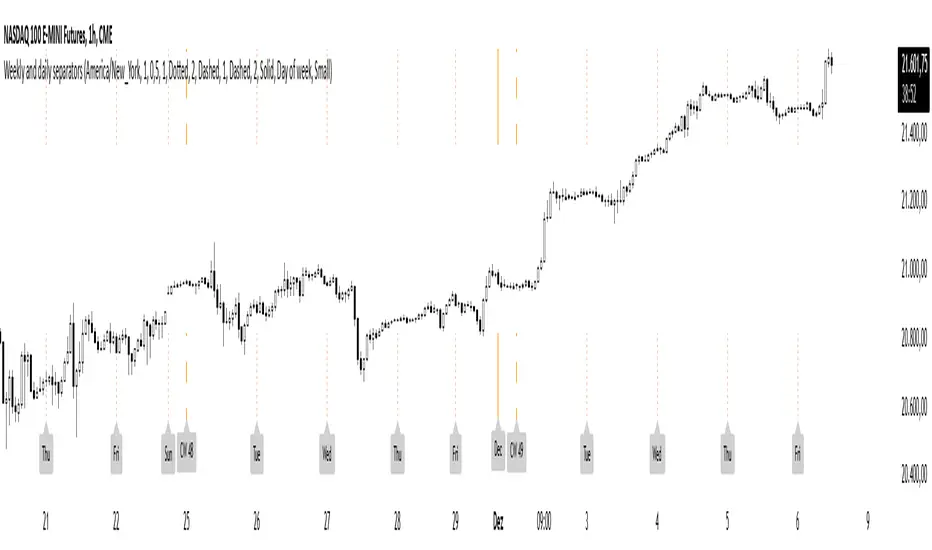
Weekly and daily separatorsThis script plots vertical line between each trading week (thick, solid) and smaller lines (dotted) between each trading day. This helps kepping a better overview on the aspect of time on the higher timeframes below 1D. The distance of the lines to the top and bottom of the chart is controlled by your chart settings menu under Appearance -> Margins.